You have a vision WordPress Theme


Stable Services Content for a WordPress-Managed Page
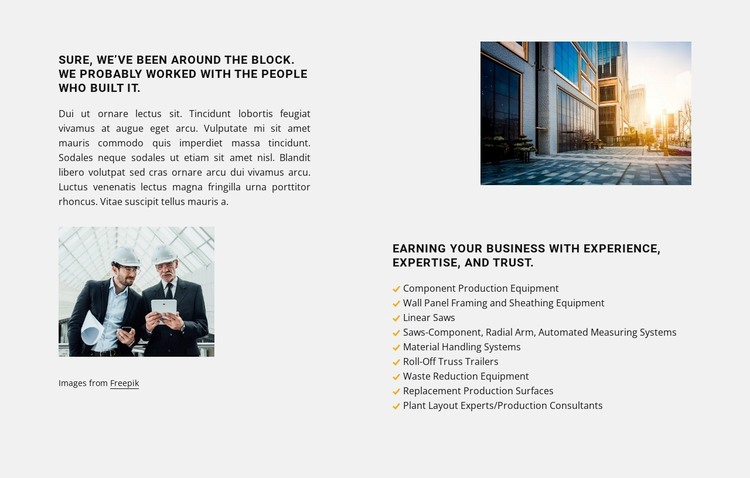
The introductory column reads as enduring page content rather than a time-sensitive update. Its experience-focused heading, supporting paragraph, building photograph, and credit line provide context for the service information. The opposite column then turns that context into a stable offering area, using another photograph, a second heading, and nine labeled categories to explain the available equipment and consulting scope.
The content is specific enough to function as a services section: component production equipment, wall panel framing and sheathing equipment, linear saws, automated measuring systems, material handling systems, roll-off truss trailers, waste reduction equipment, replacement production surfaces, and plant layout or production consultants. The repeated yellow checks give each category the same visual status, while the light gray background and dark typography preserve a consistent page-content treatment.
Within a WordPress-oriented project, this section can remain visually stable while the wider site manages other pages and content around it. The block’s value is its durable information structure and reusable presentation, not an assumption that posts, categories, widgets, or other CMS objects are already inside it. It can therefore support a permanent services page while related project examples, company information, or contact content occupy separate areas of the broader site.
Customize with Nicepage
Open this ready-made template in the WordPress Website Builder and customize it visually in the Nicepage editor. Replace demo content, edit page sections, and adapt the design to your project without rebuilding the template from scratch.
Edit Template Offline
2. Create a new page or select existing
3. Click Add new block, search for id 5991456 and click enter
Edit Template Online
Create Awesome Websites


Free Nicepage Builder
Keywords
Manage and Edit This Theme in WordPress
Customize and Install the WordPress Theme
Start with this ready-made theme instead of building the WordPress design from scratch. Customize its layout, content, typography, images, sections, and other design elements visually in Nicepage editor, then export and install the WordPress Theme, Plugin, and Pages on your WordPress site. The Nicepage WordPress Plugin lets you continue working with the site after installation.
Edit the Theme Directly in WordPress
After installation, you can edit the WordPress Theme directly in WordPress with the Nicepage WordPress Plugin. Use Site Style to customize site Colors, Fonts, Header, Footer, Blog, and Post Page Templates while working within your WordPress website.
Edit WordPress Pages Visually
Use the Nicepage WordPress Plugin to edit page content directly from the WordPress admin area. Open a WordPress Page with Nicepage and visually change its text, images, sections, and other page elements while continuing to manage the Page through WordPress.
WordPress Content and Theme Integration
Use the customized theme with WordPress Pages, Posts, Blog and Post Templates, menus, widgets, and other CMS-managed content. Shared theme elements such as Colors, Fonts, Header, Footer, Blog, and Post Page Templates can be managed as part of the overall site design, while WordPress provides the CMS environment for managing site content.
This workflow combines a ready-made WordPress Theme with visual customization, direct theme editing in WordPress, and continued content management through the Nicepage WordPress Plugin.