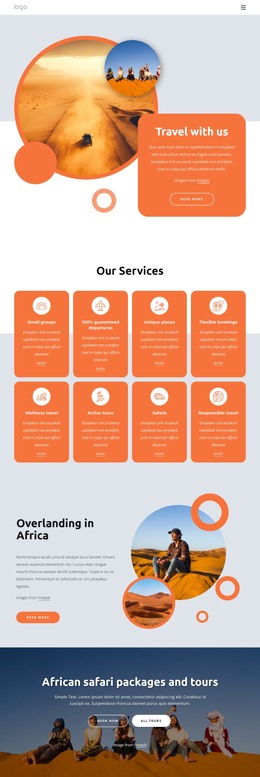
Book flights, vacation packages, tours WordPress Theme



Edit Template Offline
2. Create new page and search for id 4029724
Edit Template Online
Create Awesome Websites


Free Nicepage Builder
Keywords
Repeated Tour Content Gives the Theme a Strong Page-Based Core
The page’s repeated content is especially useful when considering how a travel theme can organize ongoing site material. The six Active Tours cards create a clear group of destination choices, each combining an image, a travel label, a displayed price, and a Book now action. This repeated pattern gives the design a stable content region that can be adapted for changing tour information while preserving a consistent presentation.
The six-image summer carousel and six-image Beach Holiday gallery add two different kinds of visual content around that core. The carousel supports a broader seasonal travel story, while the beach gallery concentrates attention on one holiday category. The three cards for Mountains, Waterfalls, and Road Travel provide another compact way to group destination ideas. These relationships suit a WordPress-oriented project where permanent agency information and regularly updated travel content may need to share the same visual direction; the analysis does not claim that WordPress Posts or categories already exist in the template.
The Travel Agency hero, four overview cards, and final Contact Info region supply page-oriented context around the repeated travel choices. Phone and email channels, social links, and a form with name, email, and message inputs keep inquiry content visible at the end. The result is a theme concept with clear content regions for agency presentation, destination imagery, tour choices, and communication, while leaving the actual CMS content structure to the project.
Customize with Nicepage
Open this ready-made template in the WordPress Website Builder and customize it visually in the Nicepage editor. Replace demo content, edit page sections, and adapt the design to your project without rebuilding the template from scratch.
Manage and Edit This Theme in WordPress
Customize and Install the WordPress Theme
Start with this ready-made theme instead of building the WordPress design from scratch. Customize its layout, content, typography, images, sections, and other design elements visually in Nicepage editor, then export and install the WordPress Theme, Plugin, and Pages on your WordPress site. The Nicepage WordPress Plugin lets you continue working with the site after installation.
Edit the Theme Directly in WordPress
After installation, you can edit the WordPress Theme directly in WordPress with the Nicepage WordPress Plugin. Use Site Style to customize site Colors, Fonts, Header, Footer, Blog, and Post Page Templates while working within your WordPress website.
Edit WordPress Pages Visually
Use the Nicepage WordPress Plugin to edit page content directly from the WordPress admin area. Open a WordPress Page with Nicepage and visually change its text, images, sections, and other page elements while continuing to manage the Page through WordPress.
WordPress Content and Theme Integration
Use the customized theme with WordPress Pages, Posts, Blog and Post Templates, menus, widgets, and other CMS-managed content. Shared theme elements such as Colors, Fonts, Header, Footer, Blog, and Post Page Templates can be managed as part of the overall site design, while WordPress provides the CMS environment for managing site content.
This workflow combines a ready-made WordPress Theme with visual customization, direct theme editing in WordPress, and continued content management through the Nicepage WordPress Plugin.