Wood truss system WordPress Theme


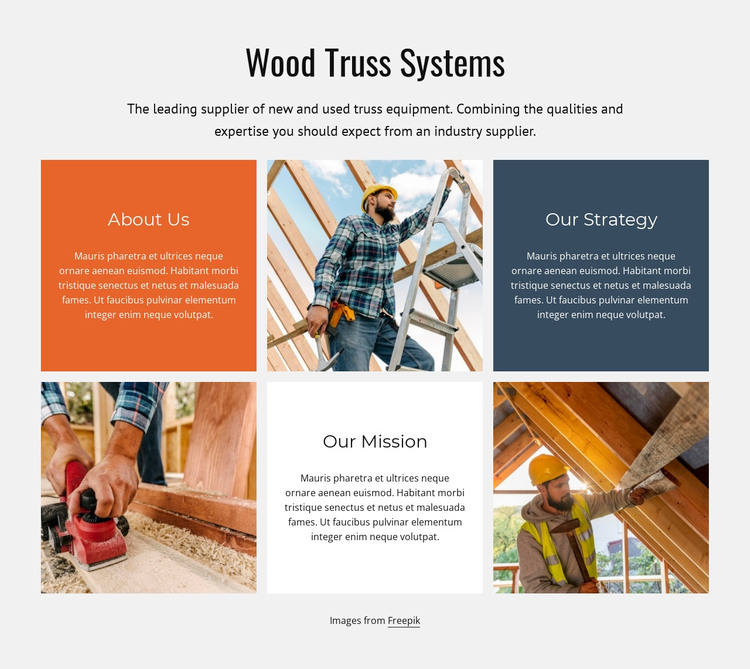
Mission-Led Page Content Fits a WordPress-Managed Section
The block reads as stable organization-focused content: “Wood Truss Systems” introduces the subject, the centered paragraph provides context, and the six tiles divide the message into About Us, Our Strategy, and Our Mission. Three construction or woodworking images alternate with the text tiles in two rows of three. This arrangement keeps the organizational themes visible as a connected group while giving each idea a separate visual position.
In a WordPress-managed project, the section can serve as permanent About or company-introduction content on a suitable page. Its role is different from time-sensitive editorial material because the three themes describe the organization’s presentation rather than a sequence of dated entries. The static layout also makes the block a predictable content region: there is no confirmed carousel or expandable interaction that would require a CMS-driven display pattern. Other WordPress-managed content can surround it, but the section retains its own six-tile structure.
The light gray background and colored text panels help preserve the block’s visual identity when it is placed beside other page sections. The construction imagery keeps the subject connected to architecture and building, while the large heading and smaller tile copy provide a clear information hierarchy. Nicepage documents a WordPress Theme, Plugin, and Pages workflow for broader projects. In this context, the relevant contribution is the reusable About section itself, not a standalone theme.
Customize with Nicepage
Open this ready-made template in the WordPress Website Builder and customize it visually in the Nicepage editor. Replace demo content, edit page sections, and adapt the design to your project without rebuilding the template from scratch.
Edit Template Offline
2. Create a new page or select existing
3. Click Add new block, search for id 1129837 and click enter
Edit Template Online
Create Awesome Websites


Free Nicepage Builder
Keywords
Manage and Edit This Theme in WordPress
Customize and Install the WordPress Theme
Start with this ready-made theme instead of building the WordPress design from scratch. Customize its layout, content, typography, images, sections, and other design elements visually in Nicepage editor, then export and install the WordPress Theme, Plugin, and Pages on your WordPress site. The Nicepage WordPress Plugin lets you continue working with the site after installation.
Edit the Theme Directly in WordPress
After installation, you can edit the WordPress Theme directly in WordPress with the Nicepage WordPress Plugin. Use Site Style to customize site Colors, Fonts, Header, Footer, Blog, and Post Page Templates while working within your WordPress website.
Edit WordPress Pages Visually
Use the Nicepage WordPress Plugin to edit page content directly from the WordPress admin area. Open a WordPress Page with Nicepage and visually change its text, images, sections, and other page elements while continuing to manage the Page through WordPress.
WordPress Content and Theme Integration
Use the customized theme with WordPress Pages, Posts, Blog and Post Templates, menus, widgets, and other CMS-managed content. Shared theme elements such as Colors, Fonts, Header, Footer, Blog, and Post Page Templates can be managed as part of the overall site design, while WordPress provides the CMS environment for managing site content.
This workflow combines a ready-made WordPress Theme with visual customization, direct theme editing in WordPress, and continued content management through the Nicepage WordPress Plugin.