Explore the nature WordPress Theme


Travel Cards Provide Stable Page Content in WordPress
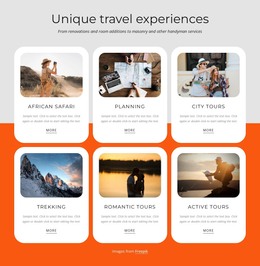
The three cards are well suited to a stable services or offerings area within a WordPress-managed page. Each card keeps its travel information together: destination imagery introduces the option, the title names it, the description adds context, the displayed price frames the offer, and the action begins the response. Mountains Travel, Surf Travel, and Ocean Travel therefore form a coherent publishable content group rather than a loose collection of visual elements.
The repeated layout also supports ongoing content maintenance. New destination imagery, descriptions, or displayed prices can be updated within the same three-card pattern while the black background, white typography, and aligned card structure preserve the section's visual identity. The actions have a specific functional relationship: they open a payment dialog with PayPal and Stripe options, so the selected product remains connected to the next step. In a WordPress-oriented project, this block can occupy a permanent travel or product area while other managed content develops around it. Its contribution is the focused page section itself: comparable travel choices presented with enough information for selection and a clear action, without requiring the surrounding site to follow the same three-column structure everywhere.
Customize with Nicepage
Open this ready-made template in the WordPress Website Builder and customize it visually in the Nicepage editor. Replace demo content, edit page sections, and adapt the design to your project without rebuilding the template from scratch.
Edit Template Offline
2. Create a new page or select existing
3. Click Add new block, search for id 88457 and click enter
Edit Template Online
Create Awesome Websites


Free Nicepage Builder
Keywords
Manage and Edit This Theme in WordPress
Customize and Install the WordPress Theme
Start with this ready-made theme instead of building the WordPress design from scratch. Customize its layout, content, typography, images, sections, and other design elements visually in Nicepage editor, then export and install the WordPress Theme, Plugin, and Pages on your WordPress site. The Nicepage WordPress Plugin lets you continue working with the site after installation.
Edit the Theme Directly in WordPress
After installation, you can edit the WordPress Theme directly in WordPress with the Nicepage WordPress Plugin. Use Site Style to customize site Colors, Fonts, Header, Footer, Blog, and Post Page Templates while working within your WordPress website.
Edit WordPress Pages Visually
Use the Nicepage WordPress Plugin to edit page content directly from the WordPress admin area. Open a WordPress Page with Nicepage and visually change its text, images, sections, and other page elements while continuing to manage the Page through WordPress.
WordPress Content and Theme Integration
Use the customized theme with WordPress Pages, Posts, Blog and Post Templates, menus, widgets, and other CMS-managed content. Shared theme elements such as Colors, Fonts, Header, Footer, Blog, and Post Page Templates can be managed as part of the overall site design, while WordPress provides the CMS environment for managing site content.
This workflow combines a ready-made WordPress Theme with visual customization, direct theme editing in WordPress, and continued content management through the Nicepage WordPress Plugin.