We bake fresh bread WordPress Theme


Stable Product Content for a WordPress-Managed Page
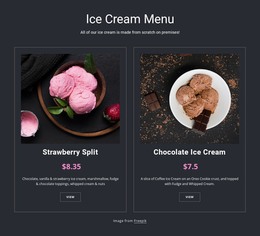
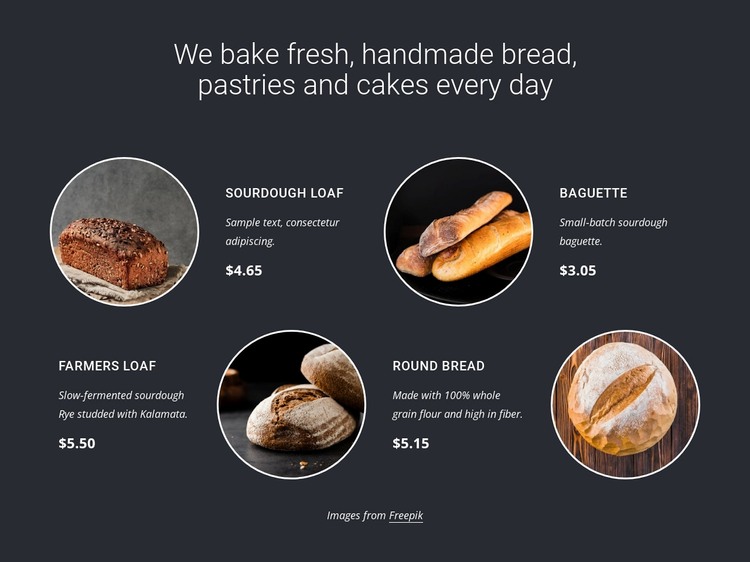
The heading and four named bakery entries form content that can remain a stable section on a WordPress-managed page. Sourdough Loaf, Baguette, Farmers Loaf, and Round Bread each present a circular image, compact description, and displayed price, making the block suitable for a persistent product or offerings area rather than time-sensitive editorial content. The repeated structure also keeps the four items visually comparable.
The arrangement gives that content a defined presentation. Two rows distribute the products through alternating image and text positions, while the dark charcoal background creates a consistent container around the whole section. White typography separates the heading and product details from the background, and thin white circular borders connect the image treatment across all entries. Italic descriptions and bold prices add internal hierarchy without introducing additional CMS concepts into the block.
Within a WordPress-oriented project, this section can sit on a bakery page while the wider site manages other content around it. A related page could provide fuller product information, contact details, or ordering instructions, but those functions are outside this block. The section’s contribution is a reusable, visually consistent product content area that can preserve its layout while surrounding page content changes. Its displayed prices should remain treated as presentation content unless the project independently confirms current commercial values.
Customize with Nicepage
Open this ready-made template in the WordPress Website Builder and customize it visually in the Nicepage editor. Replace demo content, edit page sections, and adapt the design to your project without rebuilding the template from scratch.
Edit Template Offline
2. Create a new page or select existing
3. Click Add new block, search for id 3351936 and click enter
Edit Template Online
Create Awesome Websites


Free Nicepage Builder
Keywords
Manage and Edit This Theme in WordPress
Customize and Install the WordPress Theme
Start with this ready-made theme instead of building the WordPress design from scratch. Customize its layout, content, typography, images, sections, and other design elements visually in Nicepage editor, then export and install the WordPress Theme, Plugin, and Pages on your WordPress site. The Nicepage WordPress Plugin lets you continue working with the site after installation.
Edit the Theme Directly in WordPress
After installation, you can edit the WordPress Theme directly in WordPress with the Nicepage WordPress Plugin. Use Site Style to customize site Colors, Fonts, Header, Footer, Blog, and Post Page Templates while working within your WordPress website.
Edit WordPress Pages Visually
Use the Nicepage WordPress Plugin to edit page content directly from the WordPress admin area. Open a WordPress Page with Nicepage and visually change its text, images, sections, and other page elements while continuing to manage the Page through WordPress.
WordPress Content and Theme Integration
Use the customized theme with WordPress Pages, Posts, Blog and Post Templates, menus, widgets, and other CMS-managed content. Shared theme elements such as Colors, Fonts, Header, Footer, Blog, and Post Page Templates can be managed as part of the overall site design, while WordPress provides the CMS environment for managing site content.
This workflow combines a ready-made WordPress Theme with visual customization, direct theme editing in WordPress, and continued content management through the Nicepage WordPress Plugin.