Current fashion trends WordPress Theme


Publishable Fashion Content With a Featured Trend and Category Tiles
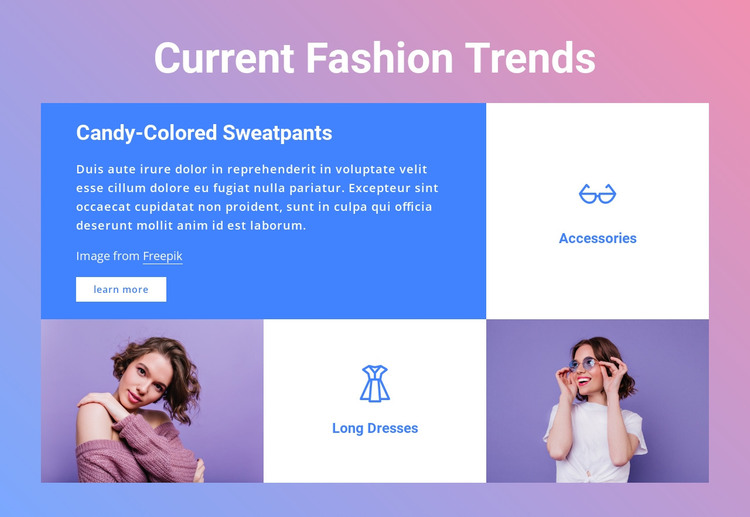
The feature panel makes Candy-Colored Sweatpants the primary content focus of this section. Its heading, supporting placeholder paragraph, image credit, and learn more button work together as a compact piece of page content rather than a simple image caption. The neighboring Accessories tile introduces another fashion category in a more condensed form. Lower in the arrangement, the Long Dresses tile is balanced by a photograph on each side, creating a second content grouping with a stronger visual emphasis.
This combination suits WordPress-oriented page content because the section has a stable subject and recognizable internal role. It can present a fashion-trend overview while related pages or sections handle deeper category information, editorial entries, or additional imagery. The tile arrangement does not depend on changing slides or interactive panels; visitors can scan the featured topic, compare the visible category labels, and use the learn more action when they want to continue.
The visual treatment reinforces that content model. White typography sits over the saturated blue feature area, white category tiles separate Accessories and Long Dresses from the surrounding pastel purple-to-pink gradient, and the two photographs provide visual pauses across the lower row. Within a WordPress-managed site, this block can remain a reusable fashion section whose content and design sit inside the wider page structure without becoming a complete theme.
Customize with Nicepage
Open this ready-made template in the WordPress Website Builder and customize it visually in the Nicepage editor. Replace demo content, edit page sections, and adapt the design to your project without rebuilding the template from scratch.
Edit Template Offline
2. Create a new page or select existing
3. Click Add new block, search for id 236244 and click enter
Edit Template Online
Create Awesome Websites


Free Nicepage Builder
Keywords
Manage and Edit This Theme in WordPress
Customize and Install the WordPress Theme
Start with this ready-made theme instead of building the WordPress design from scratch. Customize its layout, content, typography, images, sections, and other design elements visually in Nicepage editor, then export and install the WordPress Theme, Plugin, and Pages on your WordPress site. The Nicepage WordPress Plugin lets you continue working with the site after installation.
Edit the Theme Directly in WordPress
After installation, you can edit the WordPress Theme directly in WordPress with the Nicepage WordPress Plugin. Use Site Style to customize site Colors, Fonts, Header, Footer, Blog, and Post Page Templates while working within your WordPress website.
Edit WordPress Pages Visually
Use the Nicepage WordPress Plugin to edit page content directly from the WordPress admin area. Open a WordPress Page with Nicepage and visually change its text, images, sections, and other page elements while continuing to manage the Page through WordPress.
WordPress Content and Theme Integration
Use the customized theme with WordPress Pages, Posts, Blog and Post Templates, menus, widgets, and other CMS-managed content. Shared theme elements such as Colors, Fonts, Header, Footer, Blog, and Post Page Templates can be managed as part of the overall site design, while WordPress provides the CMS environment for managing site content.
This workflow combines a ready-made WordPress Theme with visual customization, direct theme editing in WordPress, and continued content management through the Nicepage WordPress Plugin.