AI Innovation Challenge WordPress Theme


Stable contact content for a WordPress-managed page
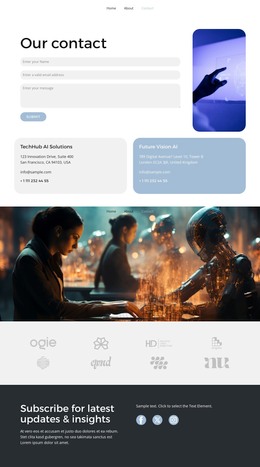
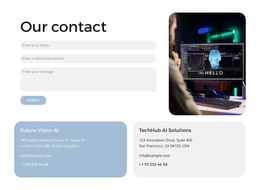
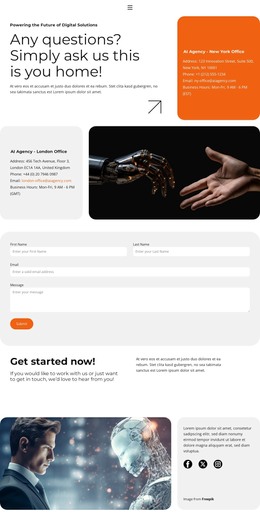
The block reads primarily as durable page content rather than as a stream of dated editorial entries. “Our contact” identifies the section, and the name, email, and message fields provide a stable inquiry area with a visible Submit action. The rounded technology image shares the upper composition, adding context while leaving the form as the functional focus. Below, two peer panels organize organization names, addresses, email addresses, and phone numbers for visitors who need practical reference details.
In a WordPress-managed project, this section can remain a reusable page-content region within a wider theme and page structure. The separation between the form and the two information panels makes the content easy to understand as one contact area with distinct sub-roles: submitting a message, viewing visual context, and finding communication details. The muted blue and light gray fills distinguish the lower panels without making them unrelated components. Other CMS-managed content can surround the block, but the section itself retains its own contact purpose and visual pattern. That makes it suitable for a stable contact page area while preserving the block-level scope of the design.
Customize with Nicepage
Open this ready-made template in the WordPress Website Builder and customize it visually in the Nicepage editor. Replace demo content, edit page sections, and adapt the design to your project without rebuilding the template from scratch.
Edit Template Offline
2. Create a new page or select existing
3. Click Add new block, search for id 6381653 and click enter
Edit Template Online
Create Awesome Websites


Free Nicepage Builder
Keywords
Manage and Edit This Theme in WordPress
Customize and Install the WordPress Theme
Start with this ready-made theme instead of building the WordPress design from scratch. Customize its layout, content, typography, images, sections, and other design elements visually in Nicepage editor, then export and install the WordPress Theme, Plugin, and Pages on your WordPress site. The Nicepage WordPress Plugin lets you continue working with the site after installation.
Edit the Theme Directly in WordPress
After installation, you can edit the WordPress Theme directly in WordPress with the Nicepage WordPress Plugin. Use Site Style to customize site Colors, Fonts, Header, Footer, Blog, and Post Page Templates while working within your WordPress website.
Edit WordPress Pages Visually
Use the Nicepage WordPress Plugin to edit page content directly from the WordPress admin area. Open a WordPress Page with Nicepage and visually change its text, images, sections, and other page elements while continuing to manage the Page through WordPress.
WordPress Content and Theme Integration
Use the customized theme with WordPress Pages, Posts, Blog and Post Templates, menus, widgets, and other CMS-managed content. Shared theme elements such as Colors, Fonts, Header, Footer, Blog, and Post Page Templates can be managed as part of the overall site design, while WordPress provides the CMS environment for managing site content.
This workflow combines a ready-made WordPress Theme with visual customization, direct theme editing in WordPress, and continued content management through the Nicepage WordPress Plugin.