Beauty salon gallery WordPress Theme



Edit Template Offline
2. Create new page and search for id 6003642
Edit Template Online
Create Awesome Websites


Free Nicepage Builder
Keywords
Gallery Content and Page-Oriented Contact Areas Suit WordPress
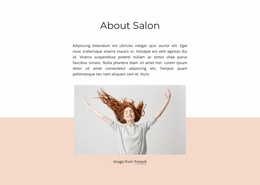
The page divides its confirmed content into clear areas that can be interpreted within a WordPress-managed site without claiming that specific posts or blog structures already exist. Salon Gallery provides permanent introductory content through a large beauty image, supporting copy, decorative shapes, and a Learn More action. The Salon & Spa section then presents nine images in a three-column tiled gallery, making visual salon content the principal page material rather than a secondary decoration.
Visit Our Beauty Salon creates a separate page-oriented contact area. Two telephone numbers sit beside an inquiry form, so visitors can find direct contact details and submit an inquiry within the same visual direction. This distinction is useful for a WordPress project: the page can preserve stable salon presentation content while future site content, if added, can follow the established palette, typography, navigation, and image treatment. The dark footer also provides a consistent closing region for the current design.
The template should therefore be understood as a visual theme starting point mapped to concrete content areas, not as proof that WordPress Pages, Posts, categories, or blog templates already exist here. Its strongest contribution is the relationship between a page-based salon introduction, a substantial image gallery, and a contact section. That combination gives a WordPress project a defined content character while leaving the actual editorial structure to be established separately.
Customize with Nicepage
Open this ready-made template in the WordPress Website Builder and customize it visually in the Nicepage editor. Replace demo content, edit page sections, and adapt the design to your project without rebuilding the template from scratch.
Manage and Edit This Theme in WordPress
Customize and Install the WordPress Theme
Start with this ready-made theme instead of building the WordPress design from scratch. Customize its layout, content, typography, images, sections, and other design elements visually in Nicepage editor, then export and install the WordPress Theme, Plugin, and Pages on your WordPress site. The Nicepage WordPress Plugin lets you continue working with the site after installation.
Edit the Theme Directly in WordPress
After installation, you can edit the WordPress Theme directly in WordPress with the Nicepage WordPress Plugin. Use Site Style to customize site Colors, Fonts, Header, Footer, Blog, and Post Page Templates while working within your WordPress website.
Edit WordPress Pages Visually
Use the Nicepage WordPress Plugin to edit page content directly from the WordPress admin area. Open a WordPress Page with Nicepage and visually change its text, images, sections, and other page elements while continuing to manage the Page through WordPress.
WordPress Content and Theme Integration
Use the customized theme with WordPress Pages, Posts, Blog and Post Templates, menus, widgets, and other CMS-managed content. Shared theme elements such as Colors, Fonts, Header, Footer, Blog, and Post Page Templates can be managed as part of the overall site design, while WordPress provides the CMS environment for managing site content.
This workflow combines a ready-made WordPress Theme with visual customization, direct theme editing in WordPress, and continued content management through the Nicepage WordPress Plugin.