Luxury spa resort WordPress Theme



Edit Template Offline
2. Create new page and search for id 6089718
Edit Template Online
Create Awesome Websites


Free Nicepage Builder
Keywords
Repeated Treatment Content Fits a Page-Oriented Site Structure
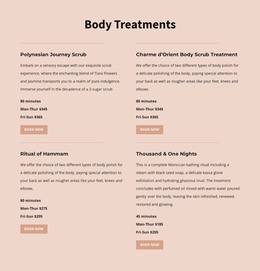
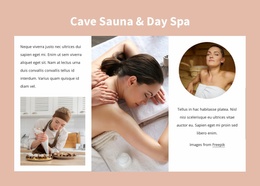
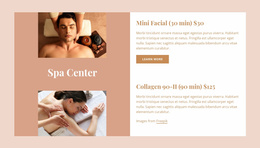
The service content is divided into several page-oriented groups that can translate naturally into a WordPress-managed website. The six category tiles establish broad subjects for the spa and salon offering, while the four Body Treatments entries provide a repeated content pattern with treatment names, descriptions, durations, day-based pricing, and Book Now actions. This combination distinguishes overview content from more detailed service information without requiring every offering to be presented in the same format.
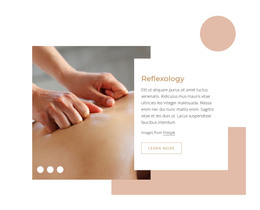
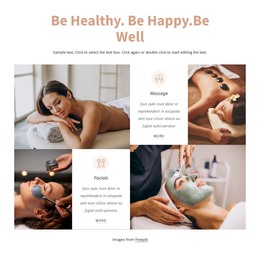
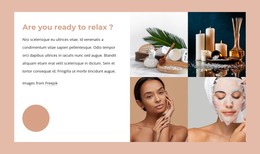
The eight facial and beauty cards add another reusable pattern. Classic Facial, Teen Facial, Vajacial, Waxing, Lifts & Tints, Serum Add-on, Hydrafacial, and Skin tightening are shown as image-led cards, making the section suitable for browsing a set of related offerings. The surrounding treatment photography supports the visual presentation, while the SPA Salon & Beauty Services and About Salon sections can carry longer explanatory content about the service environment and treatment approach.
The Contact Us area provides a separate permanent content destination with contact details, Facebook, Twitter, Instagram, LinkedIn, and Pinterest links, plus a message form for name, email, and questions. That distinction matters in a WordPress context: service information, visual treatment content, and direct inquiries have different editorial roles even though they share one design language. The template can therefore support a site where permanent spa pages are complemented by additional managed content, while the original palette, typography, imagery, and shared navigation continue to connect the experience.
Customize with Nicepage
Open this ready-made template in the WordPress Website Builder and customize it visually in the Nicepage editor. Replace demo content, edit page sections, and adapt the design to your project without rebuilding the template from scratch.
Manage and Edit This Theme in WordPress
Customize and Install the WordPress Theme
Start with this ready-made theme instead of building the WordPress design from scratch. Customize its layout, content, typography, images, sections, and other design elements visually in Nicepage editor, then export and install the WordPress Theme, Plugin, and Pages on your WordPress site. The Nicepage WordPress Plugin lets you continue working with the site after installation.
Edit the Theme Directly in WordPress
After installation, you can edit the WordPress Theme directly in WordPress with the Nicepage WordPress Plugin. Use Site Style to customize site Colors, Fonts, Header, Footer, Blog, and Post Page Templates while working within your WordPress website.
Edit WordPress Pages Visually
Use the Nicepage WordPress Plugin to edit page content directly from the WordPress admin area. Open a WordPress Page with Nicepage and visually change its text, images, sections, and other page elements while continuing to manage the Page through WordPress.
WordPress Content and Theme Integration
Use the customized theme with WordPress Pages, Posts, Blog and Post Templates, menus, widgets, and other CMS-managed content. Shared theme elements such as Colors, Fonts, Header, Footer, Blog, and Post Page Templates can be managed as part of the overall site design, while WordPress provides the CMS environment for managing site content.
This workflow combines a ready-made WordPress Theme with visual customization, direct theme editing in WordPress, and continued content management through the Nicepage WordPress Plugin.