Public barber salon WordPress Theme



Edit Template Offline
2. Create new page and search for id 5252016
Edit Template Online
Create Awesome Websites


Free Nicepage Builder
Keywords
Repeated service content and gallery imagery suit a WordPress theme
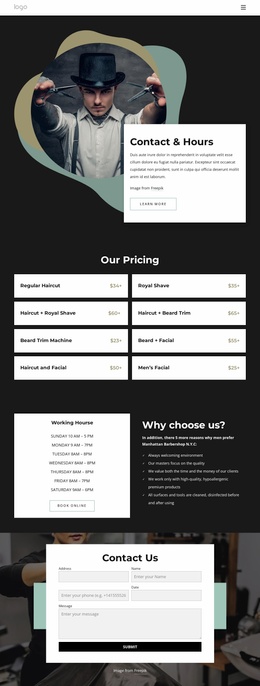
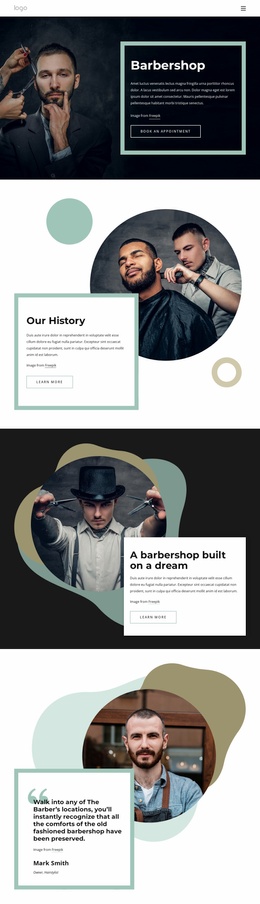
The four introductory service tiles create clear page-oriented content for a barbershop theme. Hair Cut, Shaving, Beard Trim, and Kids Haircut are grouped as concise service summaries, giving each offering a defined visual position while preserving a shared layout. The nine-image gallery adds a separate portfolio area, allowing barbering results to sit alongside service information without turning the page into one uninterrupted text block.
Farther down the design, the “Our Services” section expands the concise categories into eight repeated image-backed cards. Offerings such as Skinfade, Razor Blade, Full Service, Beard Trim, and Kid’s Cut are presented through the same relationship between photography, overlaid names, and structured spacing. This repeated pattern is useful for a WordPress-managed content environment because recurring service or project information can remain visually coordinated as the site’s content develops. The sample starting prices show the intended menu structure, but they should be replaced or independently verified before publication.
The nine-image gallery, service cards, lifestyle section, and contact area give the theme distinct content roles: visual proof, detailed offerings, broader grooming context, and inquiry. Navigation and mobile navigation connect these areas, while the final centered form provides a natural endpoint for appointment questions. Together, the page’s reusable-looking content regions support a WordPress theme interpretation without claiming that blog posts, categories, or other unverified WordPress structures already exist.
Customize with Nicepage
Open this ready-made template in the WordPress Website Builder and customize it visually in the Nicepage editor. Replace demo content, edit page sections, and adapt the design to your project without rebuilding the template from scratch.
Manage and Edit This Theme in WordPress
Customize and Install the WordPress Theme
Start with this ready-made theme instead of building the WordPress design from scratch. Customize its layout, content, typography, images, sections, and other design elements visually in Nicepage editor, then export and install the WordPress Theme, Plugin, and Pages on your WordPress site. The Nicepage WordPress Plugin lets you continue working with the site after installation.
Edit the Theme Directly in WordPress
After installation, you can edit the WordPress Theme directly in WordPress with the Nicepage WordPress Plugin. Use Site Style to customize site Colors, Fonts, Header, Footer, Blog, and Post Page Templates while working within your WordPress website.
Edit WordPress Pages Visually
Use the Nicepage WordPress Plugin to edit page content directly from the WordPress admin area. Open a WordPress Page with Nicepage and visually change its text, images, sections, and other page elements while continuing to manage the Page through WordPress.
WordPress Content and Theme Integration
Use the customized theme with WordPress Pages, Posts, Blog and Post Templates, menus, widgets, and other CMS-managed content. Shared theme elements such as Colors, Fonts, Header, Footer, Blog, and Post Page Templates can be managed as part of the overall site design, while WordPress provides the CMS environment for managing site content.
This workflow combines a ready-made WordPress Theme with visual customization, direct theme editing in WordPress, and continued content management through the Nicepage WordPress Plugin.