Fashion news WordPress Theme


Edit Template Offline
2. Create new page and search for id 135253
Edit Template Online
Create Awesome Websites


Free Nicepage Builder
Keywords
Page Content and Repeated Visual Areas Suit a Studio-Led WordPress Theme
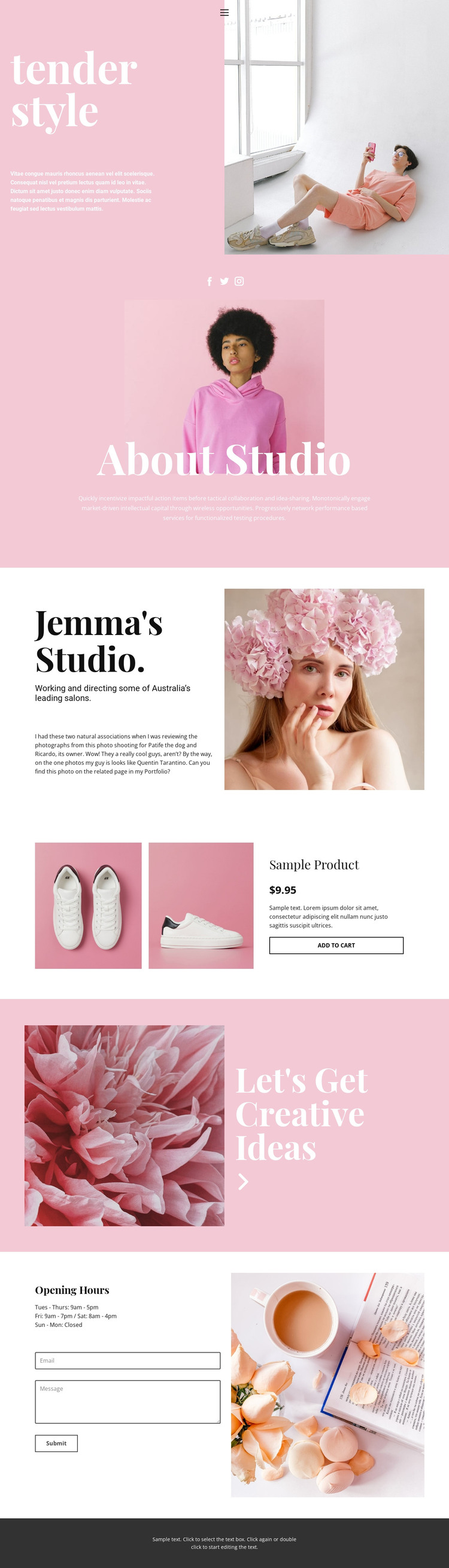
The page’s permanent informational areas provide a practical basis for a WordPress-managed studio site. The “tender style” hero can introduce the project, while the About Studio section groups social links, a portrait, and supporting copy into a clear identity-focused area. The second profile block offers another page-oriented content region, pairing studio information with a beauty photograph rather than relying on the same centered arrangement throughout. These areas can remain visually related while their text and images are adapted to the actual studio content.
The product display gives the design a separate content relationship. Two product images, a title, displayed price values, description, and an Add to Cart action form a compact commercial presentation within the broader editorial page. Because the shown product and prices are sample content, they should be replaced or removed according to the project’s real content model. The structure itself demonstrates where product-related information can sit beside studio storytelling without becoming the page’s only purpose.
Opening-hours information and the contact form provide the most direct inquiry area. Email and message inputs, the Submit action, and the adjacent lifestyle image combine practical communication with the established visual tone. Social links and mobile navigation further support the site’s shared content environment. If the project later adds regularly updated material, the existing page areas can continue to provide the visual framework for that content without claiming that blog posts or other WordPress structures are already present.
Customize with Nicepage
Open this ready-made template in the WordPress Website Builder and customize it visually in the Nicepage editor. Replace demo content, edit page sections, and adapt the design to your project without rebuilding the template from scratch.
Manage and Edit This Theme in WordPress
Customize and Install the WordPress Theme
Start with this ready-made theme instead of building the WordPress design from scratch. Customize its layout, content, typography, images, sections, and other design elements visually in Nicepage editor, then export and install the WordPress Theme, Plugin, and Pages on your WordPress site. The Nicepage WordPress Plugin lets you continue working with the site after installation.
Edit the Theme Directly in WordPress
After installation, you can edit the WordPress Theme directly in WordPress with the Nicepage WordPress Plugin. Use Site Style to customize site Colors, Fonts, Header, Footer, Blog, and Post Page Templates while working within your WordPress website.
Edit WordPress Pages Visually
Use the Nicepage WordPress Plugin to edit page content directly from the WordPress admin area. Open a WordPress Page with Nicepage and visually change its text, images, sections, and other page elements while continuing to manage the Page through WordPress.
WordPress Content and Theme Integration
Use the customized theme with WordPress Pages, Posts, Blog and Post Templates, menus, widgets, and other CMS-managed content. Shared theme elements such as Colors, Fonts, Header, Footer, Blog, and Post Page Templates can be managed as part of the overall site design, while WordPress provides the CMS environment for managing site content.
This workflow combines a ready-made WordPress Theme with visual customization, direct theme editing in WordPress, and continued content management through the Nicepage WordPress Plugin.