We offer nails, facials, waxing, massages WordPress Theme


Edit Template Offline
2. Create new page and search for id 6083249
Edit Template Online
Create Awesome Websites


Free Nicepage Builder
Keywords
Service Categories and Team Profiles Shape the WordPress Content
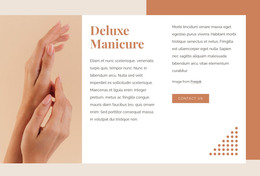
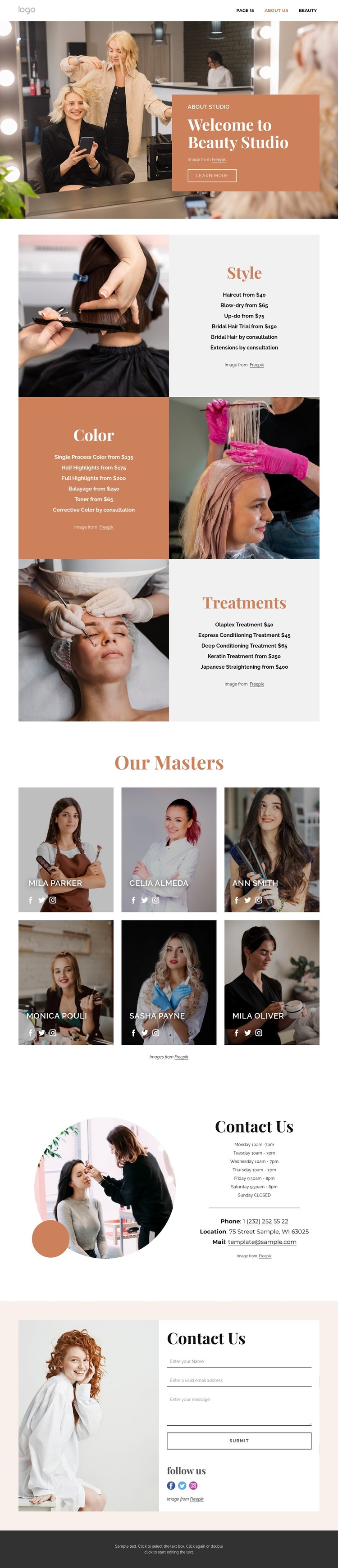
The Style, Color, and Treatments sections can serve as the permanent page content of a salon site, with each category separating a different group of services rather than mixing the offer into one undifferentiated list. Their alternating image-and-text layouts give WordPress Pages clear content areas for studio information, service descriptions, and updated pricing. The displayed prices are sample content and should be replaced with the site's verified details; the underlying structure remains useful even when the offer changes.
The six-card Our Masters section creates a second type of content relationship. It places staff profiles and social links after the service presentation, so visitors can connect the categories of work with the people delivering them. In a WordPress project, that repeated profile pattern can guide page content for team members without claiming that individual WordPress Posts, categories, or profiles already exist. The warm palette and type pairing keep those additions visually connected to the original design.
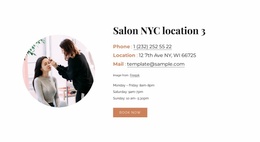
At the end, opening hours, phone, location, email, social channels, and a contact form provide a practical information and inquiry layer. The form's name, email, and message inputs fit a page-oriented contact section, while the shared navigation and footer frame the content as part of a larger site. Together, the service, team, and contact areas give a WordPress-managed salon website a clear content foundation without changing the template's editorial character.
Customize with Nicepage
Open this ready-made template in the WordPress Website Builder and customize it visually in the Nicepage editor. Replace demo content, edit page sections, and adapt the design to your project without rebuilding the template from scratch.
Manage and Edit This Theme in WordPress
Customize and Install the WordPress Theme
Start with this ready-made theme instead of building the WordPress design from scratch. Customize its layout, content, typography, images, sections, and other design elements visually in Nicepage editor, then export and install the WordPress Theme, Plugin, and Pages on your WordPress site. The Nicepage WordPress Plugin lets you continue working with the site after installation.
Edit the Theme Directly in WordPress
After installation, you can edit the WordPress Theme directly in WordPress with the Nicepage WordPress Plugin. Use Site Style to customize site Colors, Fonts, Header, Footer, Blog, and Post Page Templates while working within your WordPress website.
Edit WordPress Pages Visually
Use the Nicepage WordPress Plugin to edit page content directly from the WordPress admin area. Open a WordPress Page with Nicepage and visually change its text, images, sections, and other page elements while continuing to manage the Page through WordPress.
WordPress Content and Theme Integration
Use the customized theme with WordPress Pages, Posts, Blog and Post Templates, menus, widgets, and other CMS-managed content. Shared theme elements such as Colors, Fonts, Header, Footer, Blog, and Post Page Templates can be managed as part of the overall site design, while WordPress provides the CMS environment for managing site content.
This workflow combines a ready-made WordPress Theme with visual customization, direct theme editing in WordPress, and continued content management through the Nicepage WordPress Plugin.