
Spa rituals at home WordPress Theme


Edit Template Offline
2. Create new page and search for id 757944
Edit Template Online
Create Awesome Websites


Free Nicepage Builder
Keywords
Facials, Advice, and Social Links Support WordPress Page Content
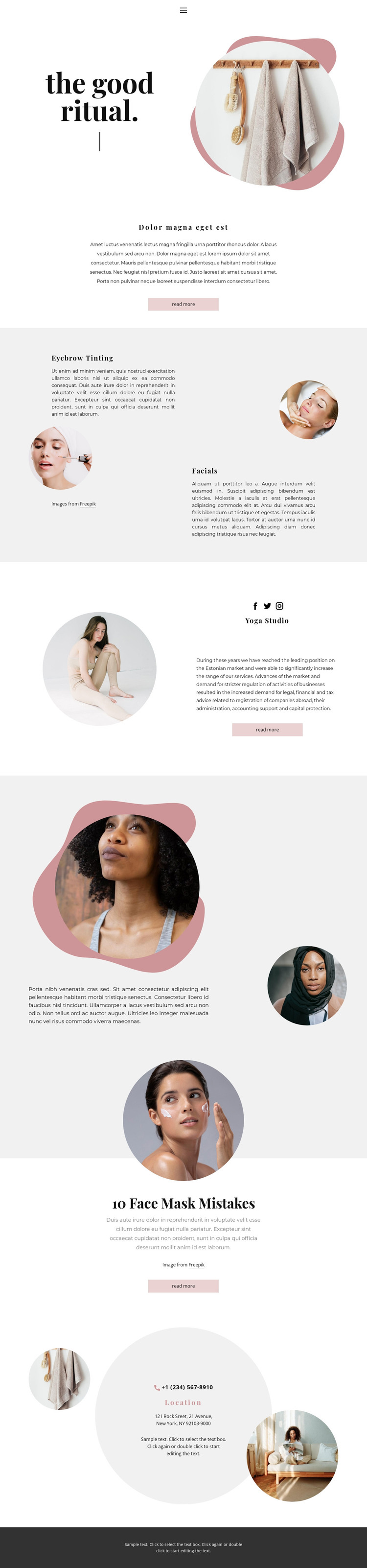
The service sections give this design clear page-oriented content for a WordPress-managed beauty site. Eyebrow Tinting and Facials are separated into parallel visual areas, each combining a service name, circular image, and description. That arrangement makes the treatment information easy to replace with verified copy while preserving a consistent relationship between image and text. The opening hero and centered introduction can continue to serve as the permanent page context around those offerings.
Other sections support a broader content interpretation. The studio introduction includes social links, descriptive text, and a read-more action, while the “10 Face Mask Mistakes” feature provides an editorial subject distinct from the service pair. The overlapping portraits add a visual story between these areas rather than functioning as another service list. Together, the sections leave room for permanent beauty information and regularly refreshed advice without claiming that blog posts or WordPress-specific content already exist in the template.
The closing Location panel gathers phone and address text in a dedicated contact region. The displayed values are sample content and should be replaced before use. In a WordPress project, the main benefit is the way service, studio, social, advice, and contact areas can remain part of one visual system while their page content is maintained and expanded over time.
Customize with Nicepage
Open this ready-made template in the WordPress Website Builder and customize it visually in the Nicepage editor. Replace demo content, edit page sections, and adapt the design to your project without rebuilding the template from scratch.
Manage and Edit This Theme in WordPress
Customize and Install the WordPress Theme
Start with this ready-made theme instead of building the WordPress design from scratch. Customize its layout, content, typography, images, sections, and other design elements visually in Nicepage editor, then export and install the WordPress Theme, Plugin, and Pages on your WordPress site. The Nicepage WordPress Plugin lets you continue working with the site after installation.
Edit the Theme Directly in WordPress
After installation, you can edit the WordPress Theme directly in WordPress with the Nicepage WordPress Plugin. Use Site Style to customize site Colors, Fonts, Header, Footer, Blog, and Post Page Templates while working within your WordPress website.
Edit WordPress Pages Visually
Use the Nicepage WordPress Plugin to edit page content directly from the WordPress admin area. Open a WordPress Page with Nicepage and visually change its text, images, sections, and other page elements while continuing to manage the Page through WordPress.
WordPress Content and Theme Integration
Use the customized theme with WordPress Pages, Posts, Blog and Post Templates, menus, widgets, and other CMS-managed content. Shared theme elements such as Colors, Fonts, Header, Footer, Blog, and Post Page Templates can be managed as part of the overall site design, while WordPress provides the CMS environment for managing site content.
This workflow combines a ready-made WordPress Theme with visual customization, direct theme editing in WordPress, and continued content management through the Nicepage WordPress Plugin.





















