Professional and certified barbers WordPress Theme


Role-Based Profiles Turn the Grid Into Stable Page Content
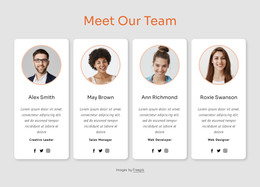
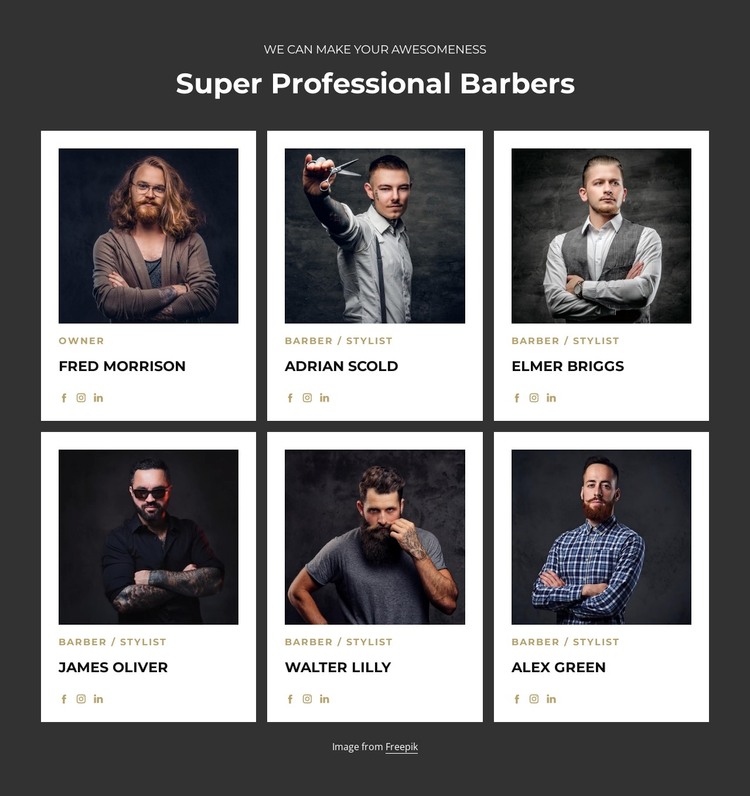
The heading and repeated profile structure make this block suitable for a permanent team area on a WordPress-managed page. Rather than presenting the staff as one paragraph, the layout separates six people into comparable cards, each with a square portrait, a name, a role label, and three social destinations. The single Owner label and the five Barber / Stylist labels provide a simple internal content distinction that can remain understandable as page content is maintained over time. The three-column, two-row arrangement keeps the roster compact on wider screens.
The visual pattern supports that page-oriented use. White cards create six defined content units within the dark charcoal section, while generous spacing gives each profile room to be read independently. The centered heading acts as the section title, and the muted-gold role labels add emphasis without changing the content hierarchy. Because social icons appear consistently across all profiles, they function as a repeated part of the staff presentation rather than an isolated extra. The Freepik credit is kept below the grid, where it can remain associated with the portraits without competing with names and roles.
Within a WordPress-oriented project, this section can occupy a stable team or staff area while other page content handles services, booking information, or contact details. The broader CMS context surrounds the block; the block itself remains one reusable visual content section.
Customize with Nicepage
Open this ready-made template in the WordPress Website Builder and customize it visually in the Nicepage editor. Replace demo content, edit page sections, and adapt the design to your project without rebuilding the template from scratch.
Edit Template Offline
2. Create a new page or select existing
3. Click Add new block, search for id 6407324 and click enter
Edit Template Online
Create Awesome Websites


Free Nicepage Builder
Keywords
Manage and Edit This Theme in WordPress
Customize and Install the WordPress Theme
Start with this ready-made theme instead of building the WordPress design from scratch. Customize its layout, content, typography, images, sections, and other design elements visually in Nicepage editor, then export and install the WordPress Theme, Plugin, and Pages on your WordPress site. The Nicepage WordPress Plugin lets you continue working with the site after installation.
Edit the Theme Directly in WordPress
After installation, you can edit the WordPress Theme directly in WordPress with the Nicepage WordPress Plugin. Use Site Style to customize site Colors, Fonts, Header, Footer, Blog, and Post Page Templates while working within your WordPress website.
Edit WordPress Pages Visually
Use the Nicepage WordPress Plugin to edit page content directly from the WordPress admin area. Open a WordPress Page with Nicepage and visually change its text, images, sections, and other page elements while continuing to manage the Page through WordPress.
WordPress Content and Theme Integration
Use the customized theme with WordPress Pages, Posts, Blog and Post Templates, menus, widgets, and other CMS-managed content. Shared theme elements such as Colors, Fonts, Header, Footer, Blog, and Post Page Templates can be managed as part of the overall site design, while WordPress provides the CMS environment for managing site content.
This workflow combines a ready-made WordPress Theme with visual customization, direct theme editing in WordPress, and continued content management through the Nicepage WordPress Plugin.