Premium barbershop services WordPress Theme



Edit Template Offline
2. Create new page and search for id 6445623
Edit Template Online
Create Awesome Websites


Free Nicepage Builder
Keywords
Service Content and Repeated Cards Suit Page-Based Grooming Content
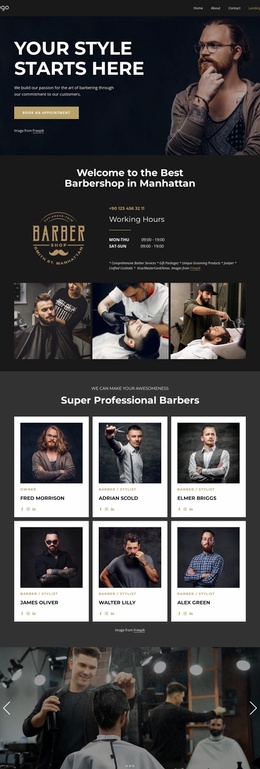
The design’s strongest WordPress-oriented content areas are its clearly separated service sections and repeated service cards. The opening hero introduces barbering and men's grooming with a large image, a centered “Our Services” heading, and an appointment action. It is followed by Hair Cut, Shaving, Beard Trim, and Kids Haircut, which provide a stable page-level overview of the main offering. These areas can remain permanent service content while the visual presentation continues to use the same dark and gold direction.
The second menu adds a more detailed content pattern. Eight image cards name Haircuts, Bread & more, Shaving, Razor Blade, Skinfade, Full Service, Beard Trim, and Kid’s Cut, with sample starting prices displayed as part of the current layout. Their repeated structure is useful for organizing comparable service information, while the three benefit panels provide a different type of content through Quality Products, Quality Equipment, and Professional barbers. The distinction between service entries and supporting benefits gives a WordPress project more than one content relationship to maintain.
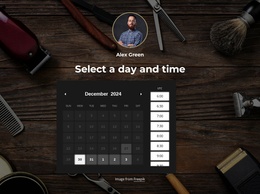
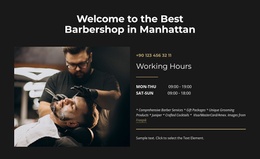
Navigation, social links, appointment buttons, and the footer’s location, hours, email, phone numbers, and questions area connect those content groups into a recognizable site presentation. If the project later adds regularly updated editorial content, it should be introduced as additional managed content rather than assumed to exist in this template. The confirmed design value lies in its page-oriented service structure and shared contact regions, not in an unverified blog or post system.
Customize with Nicepage
Open this ready-made template in the WordPress Website Builder and customize it visually in the Nicepage editor. Replace demo content, edit page sections, and adapt the design to your project without rebuilding the template from scratch.
Manage and Edit This Theme in WordPress
Customize and Install the WordPress Theme
Start with this ready-made theme instead of building the WordPress design from scratch. Customize its layout, content, typography, images, sections, and other design elements visually in Nicepage editor, then export and install the WordPress Theme, Plugin, and Pages on your WordPress site. The Nicepage WordPress Plugin lets you continue working with the site after installation.
Edit the Theme Directly in WordPress
After installation, you can edit the WordPress Theme directly in WordPress with the Nicepage WordPress Plugin. Use Site Style to customize site Colors, Fonts, Header, Footer, Blog, and Post Page Templates while working within your WordPress website.
Edit WordPress Pages Visually
Use the Nicepage WordPress Plugin to edit page content directly from the WordPress admin area. Open a WordPress Page with Nicepage and visually change its text, images, sections, and other page elements while continuing to manage the Page through WordPress.
WordPress Content and Theme Integration
Use the customized theme with WordPress Pages, Posts, Blog and Post Templates, menus, widgets, and other CMS-managed content. Shared theme elements such as Colors, Fonts, Header, Footer, Blog, and Post Page Templates can be managed as part of the overall site design, while WordPress provides the CMS environment for managing site content.
This workflow combines a ready-made WordPress Theme with visual customization, direct theme editing in WordPress, and continued content management through the Nicepage WordPress Plugin.