Professional nail art WordPress Theme



Edit Template Offline
2. Create new page and search for id 220790
Edit Template Online
Create Awesome Websites


Free Nicepage Builder
Keywords
Page Content and Repeated Salon Sections Fit a Managed Theme Structure
The page separates permanent salon information into clear content areas that can be interpreted naturally within a WordPress-managed site. The hero and About Studio section can carry the core identity of the business, while the VIP introduction and four priced entries present the main nail-service offer. The eight treatment categories provide a broader collection for hand care, foot care, spa packages, massages, body care, natural nails, waxing, and products. Their different roles make the page useful for organizing both focused service information and wider editorial content.
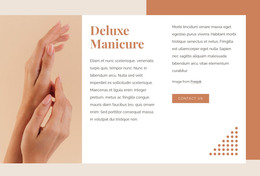
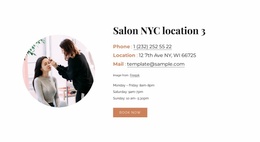
The Deluxe Manicure feature gives one treatment a stronger visual position, while the What Do You Need? block gathers four familiar nail categories into a concise visitor prompt. Four team portraits and three testimonial entries introduce repeated content that can be refreshed as the salon changes. At the end, the location section combines address information, social links, and imagery, creating a stable contact-oriented region that complements the service content rather than duplicating it.
A WordPress interpretation should not assume that posts, categories, or blog structures already exist in the template. Instead, the verified page shows a visual system capable of holding page content and recurring salon information. The WordPress Plugin is an optional product bridge when the project needs CMS-oriented editing, but the primary value remains the connection between the theme’s warm visual language and its organized service, people, proof, and contact areas.
Customize with Nicepage
Open this ready-made template in the WordPress Website Builder and customize it visually in the Nicepage editor. Replace demo content, edit page sections, and adapt the design to your project without rebuilding the template from scratch.
Manage and Edit This Theme in WordPress
Customize and Install the WordPress Theme
Start with this ready-made theme instead of building the WordPress design from scratch. Customize its layout, content, typography, images, sections, and other design elements visually in Nicepage editor, then export and install the WordPress Theme, Plugin, and Pages on your WordPress site. The Nicepage WordPress Plugin lets you continue working with the site after installation.
Edit the Theme Directly in WordPress
After installation, you can edit the WordPress Theme directly in WordPress with the Nicepage WordPress Plugin. Use Site Style to customize site Colors, Fonts, Header, Footer, Blog, and Post Page Templates while working within your WordPress website.
Edit WordPress Pages Visually
Use the Nicepage WordPress Plugin to edit page content directly from the WordPress admin area. Open a WordPress Page with Nicepage and visually change its text, images, sections, and other page elements while continuing to manage the Page through WordPress.
WordPress Content and Theme Integration
Use the customized theme with WordPress Pages, Posts, Blog and Post Templates, menus, widgets, and other CMS-managed content. Shared theme elements such as Colors, Fonts, Header, Footer, Blog, and Post Page Templates can be managed as part of the overall site design, while WordPress provides the CMS environment for managing site content.
This workflow combines a ready-made WordPress Theme with visual customization, direct theme editing in WordPress, and continued content management through the Nicepage WordPress Plugin.