Meet the team WordPress Theme



Permanent team content in a WordPress page section
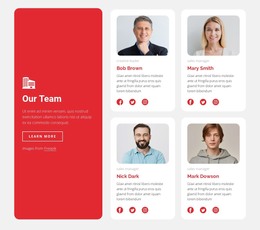
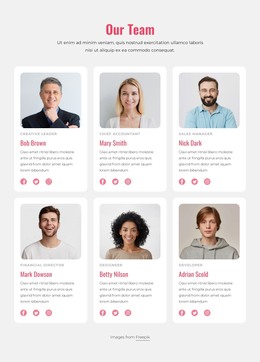
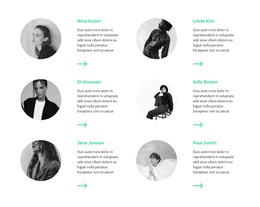
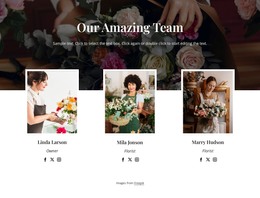
The heading and four repeated portrait-and-name items read naturally as stable page content. “Meet the” introduces the subject, “Team” supplies the primary emphasis, and the four circular portraits give visitors a concise view of the people represented by the section. In a WordPress-managed page, this block can remain a reusable visual region for that information while the wider project maintains other content around it.
The repeated layout is important to the content interpretation. Every person receives the same circular image treatment, horizontal position, and name-label relationship, so the section presents the group as a balanced set rather than as a feed of time-sensitive entries. The white background and uppercase black typography also make the block easy to coordinate with a page’s broader visual direction without requiring blog-style organization or a separate interaction model.
A WordPress Theme context therefore frames the block as publishable page content within a larger managed site. The section can be used on a team or about-oriented page, while fuller biographies, contact information, or other project content may appear elsewhere. Its four identities and centered heading remain the concrete contribution; the block itself is not a complete WordPress Theme.
Customize with Nicepage
Open this ready-made template in the WordPress Website Builder and customize it visually in the Nicepage editor. Replace demo content, edit page sections, and adapt the design to your project without rebuilding the template from scratch.
Edit Template Offline
2. Create a new page or select existing
3. Click Add new block, search for id 80000 and click enter
Edit Template Online
Create Awesome Websites


Free Nicepage Builder
Keywords
Manage and Edit This Theme in WordPress
Customize and Install the WordPress Theme
Start with this ready-made theme instead of building the WordPress design from scratch. Customize its layout, content, typography, images, sections, and other design elements visually in Nicepage editor, then export and install the WordPress Theme, Plugin, and Pages on your WordPress site. The Nicepage WordPress Plugin lets you continue working with the site after installation.
Edit the Theme Directly in WordPress
After installation, you can edit the WordPress Theme directly in WordPress with the Nicepage WordPress Plugin. Use Site Style to customize site Colors, Fonts, Header, Footer, Blog, and Post Page Templates while working within your WordPress website.
Edit WordPress Pages Visually
Use the Nicepage WordPress Plugin to edit page content directly from the WordPress admin area. Open a WordPress Page with Nicepage and visually change its text, images, sections, and other page elements while continuing to manage the Page through WordPress.
WordPress Content and Theme Integration
Use the customized theme with WordPress Pages, Posts, Blog and Post Templates, menus, widgets, and other CMS-managed content. Shared theme elements such as Colors, Fonts, Header, Footer, Blog, and Post Page Templates can be managed as part of the overall site design, while WordPress provides the CMS environment for managing site content.
This workflow combines a ready-made WordPress Theme with visual customization, direct theme editing in WordPress, and continued content management through the Nicepage WordPress Plugin.