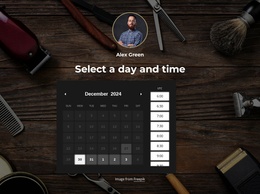
Manhattan barber studio WordPress Theme



Edit Template Offline
2. Create new page and search for id 6406410
Edit Template Online
Create Awesome Websites


Free Nicepage Builder
Keywords
Service Pages and Story Content Within One Grooming Theme
The four service tiles and eight-item pricing list create clear page-oriented content for a barbershop site. Core categories such as Hair Cut, Shaving, Beard Trim, and Kids Haircut introduce the offer, while the longer pricing list adds named services including men's color, shampoo, long haircut, and combined treatments. These areas can remain stable business information while the visual theme continues to frame them with dark surfaces, gold accents, condensed headings, and barber photography.
The three story cards provide a different content relationship. Their image-led titles and short descriptions can serve as editorial or regularly refreshed material if the project later publishes suitable content, while the welcome sections retain the more permanent business introduction. At the end, working hours, location, phone, email, WhatsApp, social links, and appointment information form practical page content that visitors can use when planning a visit. This separation between enduring service information, possible story updates, and shared contact details gives the design a natural WordPress interpretation without claiming that posts, categories, or blog structures already exist. A WordPress project could preserve the page’s core visual direction while managing appropriate page content and future editorial additions through its CMS environment.
Customize with Nicepage
Open this ready-made template in the WordPress Website Builder and customize it visually in the Nicepage editor. Replace demo content, edit page sections, and adapt the design to your project without rebuilding the template from scratch.
Manage and Edit This Theme in WordPress
Customize and Install the WordPress Theme
Start with this ready-made theme instead of building the WordPress design from scratch. Customize its layout, content, typography, images, sections, and other design elements visually in Nicepage editor, then export and install the WordPress Theme, Plugin, and Pages on your WordPress site. The Nicepage WordPress Plugin lets you continue working with the site after installation.
Edit the Theme Directly in WordPress
After installation, you can edit the WordPress Theme directly in WordPress with the Nicepage WordPress Plugin. Use Site Style to customize site Colors, Fonts, Header, Footer, Blog, and Post Page Templates while working within your WordPress website.
Edit WordPress Pages Visually
Use the Nicepage WordPress Plugin to edit page content directly from the WordPress admin area. Open a WordPress Page with Nicepage and visually change its text, images, sections, and other page elements while continuing to manage the Page through WordPress.
WordPress Content and Theme Integration
Use the customized theme with WordPress Pages, Posts, Blog and Post Templates, menus, widgets, and other CMS-managed content. Shared theme elements such as Colors, Fonts, Header, Footer, Blog, and Post Page Templates can be managed as part of the overall site design, while WordPress provides the CMS environment for managing site content.
This workflow combines a ready-made WordPress Theme with visual customization, direct theme editing in WordPress, and continued content management through the Nicepage WordPress Plugin.