Team block with slider and testimonial WordPress Theme



Consistent Profile Cards for WordPress Page Content
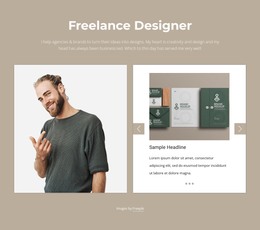
The left column gives the section a durable editorial message by stating that the group covers a comprehensive design spectrum and a wide range of competences. The right column supports that message with six repeatable profile records. Each record joins a portrait to a name and role label, making the block suitable for stable team information that can sit on a WordPress-managed page while the surrounding project handles other content areas. The displayed names and roles are part of the sample profile presentation; the reusable value lies in the consistent card structure.
The carousel presents two cards in the preview and uses previous and next controls to reveal the remaining profiles. This keeps the page section compact while preserving access to the full team group, which is useful when a services or company page needs people-focused content without a long stacked directory. The split relationship also separates the collective statement from the individual profiles, creating a clear reading order from shared capability to personal roles. White space around the rectangular portraits, muted green control accents, and black typographic hierarchy provide a stable visual treatment that can remain consistent with adjacent WordPress page sections. The block contributes that focused team region; broader theme, navigation, and publishing responsibilities belong to the surrounding WordPress project.
Customize with Nicepage
Open this ready-made template in the WordPress Website Builder and customize it visually in the Nicepage editor. Replace demo content, edit page sections, and adapt the design to your project without rebuilding the template from scratch.
Edit Template Offline
2. Create a new page or select existing
3. Click Add new block, search for id 6226005 and click enter
Edit Template Online
Create Awesome Websites


Free Nicepage Builder
Keywords
Manage and Edit This Theme in WordPress
Customize and Install the WordPress Theme
Start with this ready-made theme instead of building the WordPress design from scratch. Customize its layout, content, typography, images, sections, and other design elements visually in Nicepage editor, then export and install the WordPress Theme, Plugin, and Pages on your WordPress site. The Nicepage WordPress Plugin lets you continue working with the site after installation.
Edit the Theme Directly in WordPress
After installation, you can edit the WordPress Theme directly in WordPress with the Nicepage WordPress Plugin. Use Site Style to customize site Colors, Fonts, Header, Footer, Blog, and Post Page Templates while working within your WordPress website.
Edit WordPress Pages Visually
Use the Nicepage WordPress Plugin to edit page content directly from the WordPress admin area. Open a WordPress Page with Nicepage and visually change its text, images, sections, and other page elements while continuing to manage the Page through WordPress.
WordPress Content and Theme Integration
Use the customized theme with WordPress Pages, Posts, Blog and Post Templates, menus, widgets, and other CMS-managed content. Shared theme elements such as Colors, Fonts, Header, Footer, Blog, and Post Page Templates can be managed as part of the overall site design, while WordPress provides the CMS environment for managing site content.
This workflow combines a ready-made WordPress Theme with visual customization, direct theme editing in WordPress, and continued content management through the Nicepage WordPress Plugin.