Keep your body, mind and soul balanced WordPress Theme



Edit Template Offline
2. Create new page and search for id 6089476
Edit Template Online
Create Awesome Websites


Free Nicepage Builder
Keywords
Spa Packages and Service Areas Organize WordPress Page Content
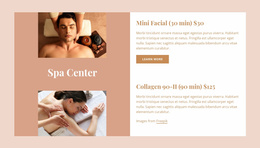
The opening About Spa Center section gives the design a clear permanent page role: it introduces the spa, its atmosphere, and the subject of the site before visitors reach more specific information. The six history milestones then create a separate background area, while the three Spa Packages cards establish a focused presentation for offers. These page-oriented regions can remain distinct in a WordPress-managed site instead of being combined into one long block of undifferentiated copy.
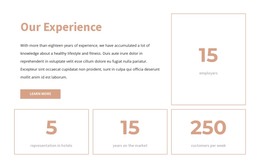
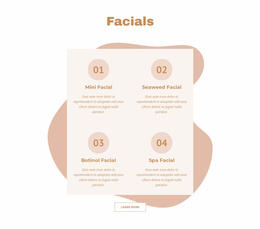
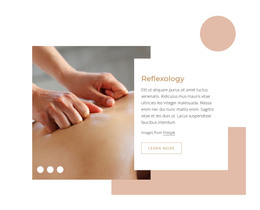
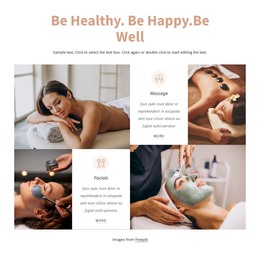
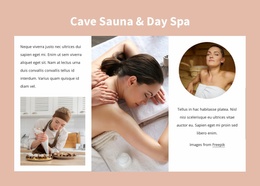
The facials and massage collage, the Satisfied Customers section, and the Cave Sauna & Day Spa composition provide additional content areas with different editorial purposes. Service imagery can support descriptive page content, customer-focused copy can introduce the visitor experience, and the three-part sauna section can explain another part of the spa offering. Four testimonial cards and the Our Experience block add reusable-looking presentation patterns for customer feedback and supporting business information, without claiming that posts or categories already exist in the template.
The closing contact region brings together business hours, email, social links, and an inquiry form, making it a natural permanent contact area within the same visual system. A WordPress implementation can preserve the peach backgrounds, white cards, soft typography, and treatment photography while organizing these page sections as the site’s core content. If regularly updated articles or announcements are added later, they can sit alongside this established page structure rather than replacing it.
Customize with Nicepage
Open this ready-made template in the WordPress Website Builder and customize it visually in the Nicepage editor. Replace demo content, edit page sections, and adapt the design to your project without rebuilding the template from scratch.
Manage and Edit This Theme in WordPress
Customize and Install the WordPress Theme
Start with this ready-made theme instead of building the WordPress design from scratch. Customize its layout, content, typography, images, sections, and other design elements visually in Nicepage editor, then export and install the WordPress Theme, Plugin, and Pages on your WordPress site. The Nicepage WordPress Plugin lets you continue working with the site after installation.
Edit the Theme Directly in WordPress
After installation, you can edit the WordPress Theme directly in WordPress with the Nicepage WordPress Plugin. Use Site Style to customize site Colors, Fonts, Header, Footer, Blog, and Post Page Templates while working within your WordPress website.
Edit WordPress Pages Visually
Use the Nicepage WordPress Plugin to edit page content directly from the WordPress admin area. Open a WordPress Page with Nicepage and visually change its text, images, sections, and other page elements while continuing to manage the Page through WordPress.
WordPress Content and Theme Integration
Use the customized theme with WordPress Pages, Posts, Blog and Post Templates, menus, widgets, and other CMS-managed content. Shared theme elements such as Colors, Fonts, Header, Footer, Blog, and Post Page Templates can be managed as part of the overall site design, while WordPress provides the CMS environment for managing site content.
This workflow combines a ready-made WordPress Theme with visual customization, direct theme editing in WordPress, and continued content management through the Nicepage WordPress Plugin.