Best Headphones WordPress Theme


Edit Template Offline
2. Create new page and search for id 24145
Edit Template Online
Create Awesome Websites


Free Nicepage Builder
Keywords
Editorial comparison areas give headphone content a coherent theme structure
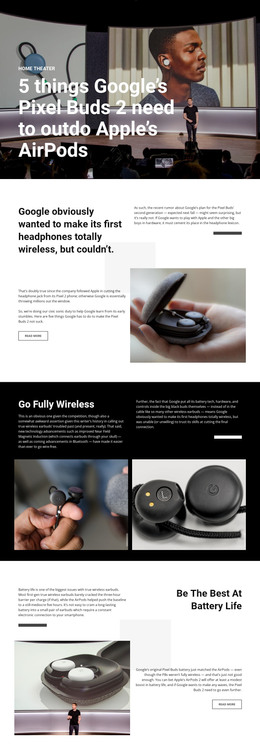
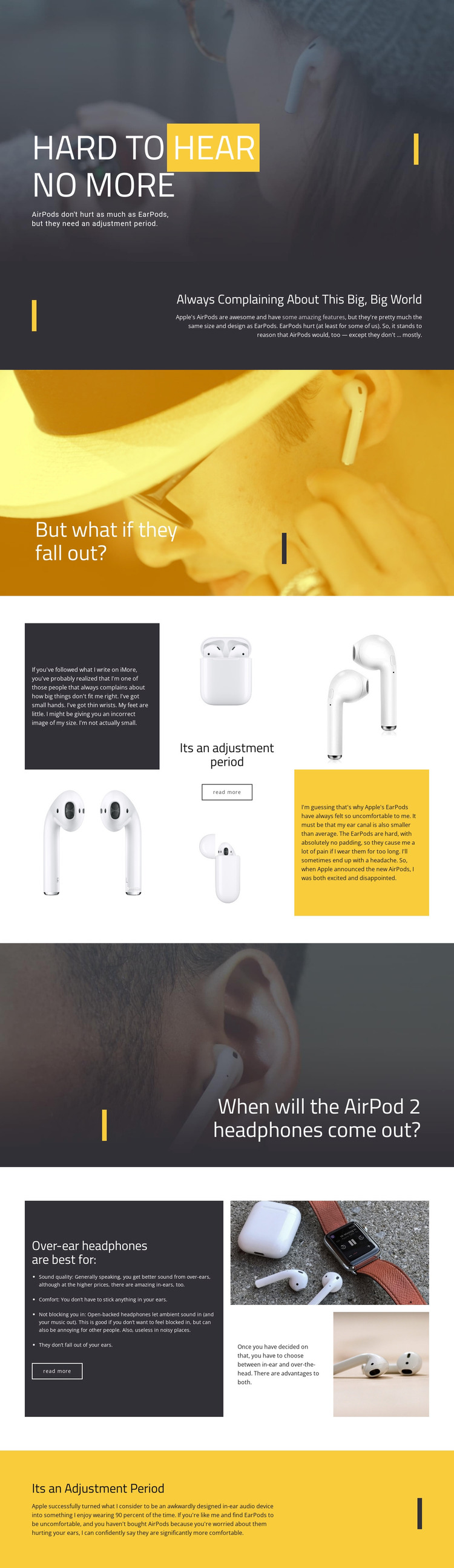
The page contains several kinds of content that can be interpreted naturally in a WordPress-managed site without claiming that WordPress Posts or categories already exist. The opening hero and dark explanatory panel provide permanent page-oriented content about AirPods comfort and EarPods fit. The question-led image sections can introduce supporting editorial topics, including the concern that headphones may fall out and the question about a later AirPod model.
The adjustment-period grid is suited to content that combines written explanation with product imagery. It presents AirPods and EarPods as part of a broader comfort discussion, while the over-ear section supplies a separate comparison area built around sound quality, comfort, ambient sound, and fit. If the project later adds regularly updated reviews or related articles, these established visual regions could help keep new material aligned with the original design character rather than forcing every topic into a generic text layout.
The final yellow section gives the page a strong editorial close, and the existing read-more links suggest a place for continued content discovery. In a WordPress theme interpretation, the key value is the relationship between permanent comparison content and potentially expandable editorial material. The design’s photographic transitions, high-contrast typography, and recurring accent lines can remain the visual system around that content. A WordPress plugin or post workflow is not needed to explain why this particular layout can support the content environment.
Customize with Nicepage
Open this ready-made template in the WordPress Website Builder and customize it visually in the Nicepage editor. Replace demo content, edit page sections, and adapt the design to your project without rebuilding the template from scratch.
Manage and Edit This Theme in WordPress
Customize and Install the WordPress Theme
Start with this ready-made theme instead of building the WordPress design from scratch. Customize its layout, content, typography, images, sections, and other design elements visually in Nicepage editor, then export and install the WordPress Theme, Plugin, and Pages on your WordPress site. The Nicepage WordPress Plugin lets you continue working with the site after installation.
Edit the Theme Directly in WordPress
After installation, you can edit the WordPress Theme directly in WordPress with the Nicepage WordPress Plugin. Use Site Style to customize site Colors, Fonts, Header, Footer, Blog, and Post Page Templates while working within your WordPress website.
Edit WordPress Pages Visually
Use the Nicepage WordPress Plugin to edit page content directly from the WordPress admin area. Open a WordPress Page with Nicepage and visually change its text, images, sections, and other page elements while continuing to manage the Page through WordPress.
WordPress Content and Theme Integration
Use the customized theme with WordPress Pages, Posts, Blog and Post Templates, menus, widgets, and other CMS-managed content. Shared theme elements such as Colors, Fonts, Header, Footer, Blog, and Post Page Templates can be managed as part of the overall site design, while WordPress provides the CMS environment for managing site content.
This workflow combines a ready-made WordPress Theme with visual customization, direct theme editing in WordPress, and continued content management through the Nicepage WordPress Plugin.