Our projects step by step WordPress Theme


Stable Construction Content for a Managed Page
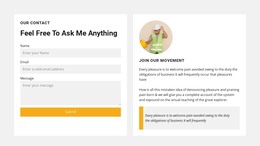
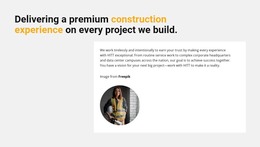
The heading and supporting paragraph read as durable page content: they introduce a construction organization’s experience and identify the range from routine service work to corporate headquarters and data center campuses. In a WordPress-managed project, this makes the block a natural candidate for an about or services-overview area whose message can remain visually consistent while the wider site develops around it.
The content model is intentionally compact. One paragraph carries the explanation, and one circular construction-worker photograph supplies visual support inside the white card. The light gray outer background separates this content region from neighboring page material, while the bold black heading and yellow highlighted words give the section a clear identity. These relationships allow the block to sit within a stable page layout without relying on a blog feed, post grid, or other dynamic component.
The section can be reused where the site needs to explain project experience, while other WordPress-managed content handles deeper project descriptions, regularly updated articles, or contact details. Its role is strongest when the surrounding page treats the paragraph as publishable organization information and keeps the image aligned with that message. The block therefore contributes a focused content area to a broader WordPress page, preserving its existing construction emphasis and static text-image hierarchy.
Customize with Nicepage
Open this ready-made template in the WordPress Website Builder and customize it visually in the Nicepage editor. Replace demo content, edit page sections, and adapt the design to your project without rebuilding the template from scratch.
Edit Template Offline
2. Create a new page or select existing
3. Click Add new block, search for id 6001651 and click enter
Edit Template Online
Create Awesome Websites


Free Nicepage Builder
Keywords
Manage and Edit This Theme in WordPress
Customize and Install the WordPress Theme
Start with this ready-made theme instead of building the WordPress design from scratch. Customize its layout, content, typography, images, sections, and other design elements visually in Nicepage editor, then export and install the WordPress Theme, Plugin, and Pages on your WordPress site. The Nicepage WordPress Plugin lets you continue working with the site after installation.
Edit the Theme Directly in WordPress
After installation, you can edit the WordPress Theme directly in WordPress with the Nicepage WordPress Plugin. Use Site Style to customize site Colors, Fonts, Header, Footer, Blog, and Post Page Templates while working within your WordPress website.
Edit WordPress Pages Visually
Use the Nicepage WordPress Plugin to edit page content directly from the WordPress admin area. Open a WordPress Page with Nicepage and visually change its text, images, sections, and other page elements while continuing to manage the Page through WordPress.
WordPress Content and Theme Integration
Use the customized theme with WordPress Pages, Posts, Blog and Post Templates, menus, widgets, and other CMS-managed content. Shared theme elements such as Colors, Fonts, Header, Footer, Blog, and Post Page Templates can be managed as part of the overall site design, while WordPress provides the CMS environment for managing site content.
This workflow combines a ready-made WordPress Theme with visual customization, direct theme editing in WordPress, and continued content management through the Nicepage WordPress Plugin.