Mobile app and technology WordPress Theme


Stable App Content With a Reusable Capability Group
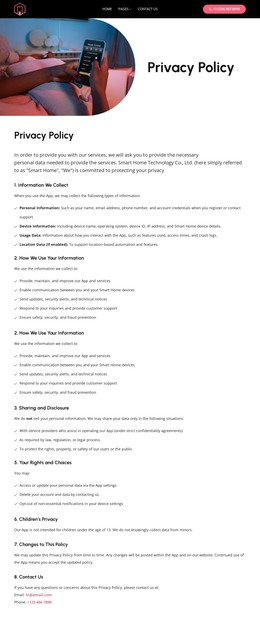
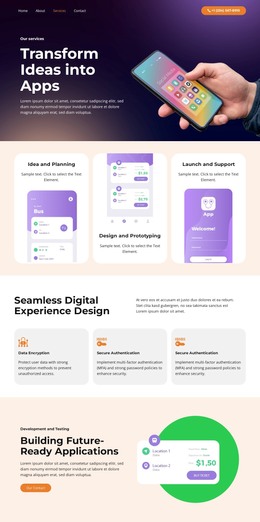
The section reads as durable page content rather than a time-sensitive update. “Mental health mobile apps” identifies the subject, and “Awesome Mobile App” provides the main heading for the content area. The three labels beneath it—“Habits tracker,” “Help tools,” and “Results”—organize the app’s visible focus into a compact repeated group. Purple line-style icons make the relationship between those labels apparent without requiring a longer article-like explanation.
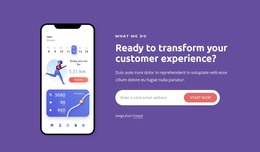
The angled phone image gives the page content an immediate product reference. It displays a mobile app interface and overlaps purple and magenta organic shapes on the right, while the white background keeps the text group readable on the left. This combination can remain visually consistent when the block is used as one stable section of a WordPress-managed page, with other content areas handling fuller descriptions or regularly updated material.
A WordPress-oriented interpretation therefore emphasizes publishable page content and reuse of the section’s visual pattern. The block can introduce the app before later sections explain its capabilities, present supporting information, or direct visitors toward another action. The CMS context surrounds the block; it does not change the section into a standalone theme. Its practical role is a durable app-introduction region with a clear heading, three capability cues, and a supporting interface image.
Customize with Nicepage
Open this ready-made template in the WordPress Website Builder and customize it visually in the Nicepage editor. Replace demo content, edit page sections, and adapt the design to your project without rebuilding the template from scratch.
Edit Template Offline
2. Create a new page or select existing
3. Click Add new block, search for id 46713 and click enter
Edit Template Online
Create Awesome Websites


Free Nicepage Builder
Keywords
Manage and Edit This Theme in WordPress
Customize and Install the WordPress Theme
Start with this ready-made theme instead of building the WordPress design from scratch. Customize its layout, content, typography, images, sections, and other design elements visually in Nicepage editor, then export and install the WordPress Theme, Plugin, and Pages on your WordPress site. The Nicepage WordPress Plugin lets you continue working with the site after installation.
Edit the Theme Directly in WordPress
After installation, you can edit the WordPress Theme directly in WordPress with the Nicepage WordPress Plugin. Use Site Style to customize site Colors, Fonts, Header, Footer, Blog, and Post Page Templates while working within your WordPress website.
Edit WordPress Pages Visually
Use the Nicepage WordPress Plugin to edit page content directly from the WordPress admin area. Open a WordPress Page with Nicepage and visually change its text, images, sections, and other page elements while continuing to manage the Page through WordPress.
WordPress Content and Theme Integration
Use the customized theme with WordPress Pages, Posts, Blog and Post Templates, menus, widgets, and other CMS-managed content. Shared theme elements such as Colors, Fonts, Header, Footer, Blog, and Post Page Templates can be managed as part of the overall site design, while WordPress provides the CMS environment for managing site content.
This workflow combines a ready-made WordPress Theme with visual customization, direct theme editing in WordPress, and continued content management through the Nicepage WordPress Plugin.