
Watch HTML5 Templates
Technical specifications are only part of a watch story. HTML5 sections can separate craftsmanship, materials, model identity, and wearable features so that detailed product content follows a clear hierarchy.


More Website & HTML Templates for Watch
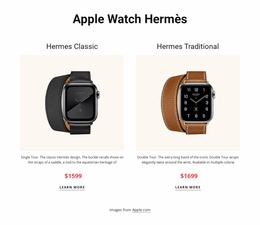
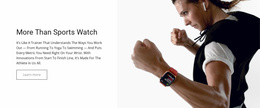
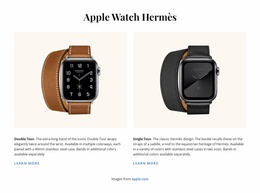
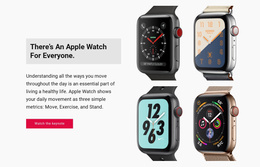



More HTML5 Templates from Technology Category

















Other Technology HTML5 Templates
Professional Watch HTML5 Template
A watch HTML5 template can make details such as dial finishing, movement, case construction, and servicing information easier to present through native media and clearly defined content elements. Instead of relying only on static product photography, it can combine detailed images, short clips, structured specifications, and practical form fields within one consistent watch presentation.
Semantic Regions Around Every Timepiece
HTML5 elements can give different kinds of watch content a clear role:
- An "article" can keep a model name, reference number, and key details together as one self-contained entry.
- A "figure" and "figcaption" can pair a dial, caseback, or movement image with information about the reference or finish shown.
- A description list can connect specification labels such as case diameter, crystal type, water resistance, or caliber with their values.
- "Main" and "nav" can separate primary watch content from navigation and make the structure easier for assistive software to interpret.
This becomes particularly useful when several references share the same information pattern but differ in movement, dimensions, materials, or dial execution.
Sweeping Seconds Hands in Motion
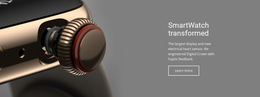
Some watch characteristics are easier to understand in motion. A mechanical seconds hand sweeps across the dial, while a quartz hand advances in distinct steps. A short clip can show that difference directly, and the HTML5 "video" element can play it without requiring a separate player.
Video can also show a rotor moving behind an exhibition caseback, the changing reflections of a sunburst dial, or how a bracelet articulates on the wrist.
For still photography, "picture" and "srcset" allow different image versions to be served depending on screen size and resolution. A detailed image can preserve applied indices, brushed case surfaces, engraved casebacks, or dial texture on high-density displays, while a lighter version can be used where loading speed matters more.
When a particular watch needs an unusual presentation, such as a 360-degree case view, Nicepage provides an HTML Element to add that specific fragment without altering the rest of the template structure.
Service Appointments Through Native Inputs
Native form inputs work well for watch-related requests after purchase. Owners may need to arrange routine servicing, battery replacement, bracelet sizing, pressure testing, or a strap fitting.
A "date" field can open the device's calendar to choose an appointment, "tel" can make phone number entry easier on mobile devices, and "email" can provide basic address validation before a request is submitted.
These features give a watch HTML5 template a more specific role than simply displaying models. Native video can demonstrate movement, responsive imagery can preserve fine dial and case details, semantic elements can organize reference-specific information, and suitable inputs can support common servicing tasks.