Achieve peace of mind WordPress Theme


Numbered Travel Information Suits Stable Page Content
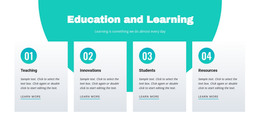
The four numbered items make this block suitable for stable informational content within a WordPress-managed page. Labels 01 through 04 separate the material into four clear units, and the two-column, two-row grid keeps the complete group visible at once. Each item carries a short paragraph, so the section can present related destination highlights, travel considerations, or feature points without depending on a slider, accordion, or other interactive component.
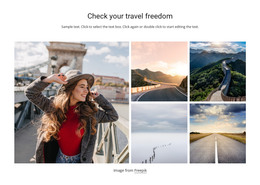
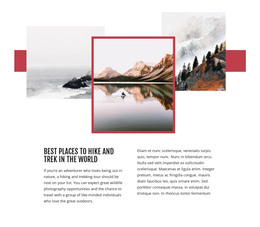
The content sits inside a centered white rectangular panel that overlaps the lower portions of two travel photographs. Both images depict travelers consulting a map in an urban setting, giving the information a recognizable visual context. A warm peach background surrounds the arrangement, while circular peach markers repeat the accent beside gray paragraph text. The result is a layered relationship between a photographic backdrop and a foreground content area, rather than a flat list disconnected from its imagery.
In a WordPress-oriented project, this block can function as permanent page content for a travel or hospitality presentation, while the wider site manages additional pages and editorial material. Its role is the section itself: four organized points supported by imagery. It should be coordinated with the surrounding page’s other content areas rather than treated as a complete WordPress Theme or a full site structure.
Customize with Nicepage
Open this ready-made template in the WordPress Website Builder and customize it visually in the Nicepage editor. Replace demo content, edit page sections, and adapt the design to your project without rebuilding the template from scratch.
Edit Template Offline
2. Create a new page or select existing
3. Click Add new block, search for id 2266883 and click enter
Edit Template Online
Create Awesome Websites


Free Nicepage Builder
Keywords
Manage and Edit This Theme in WordPress
Customize and Install the WordPress Theme
Start with this ready-made theme instead of building the WordPress design from scratch. Customize its layout, content, typography, images, sections, and other design elements visually in Nicepage editor, then export and install the WordPress Theme, Plugin, and Pages on your WordPress site. The Nicepage WordPress Plugin lets you continue working with the site after installation.
Edit the Theme Directly in WordPress
After installation, you can edit the WordPress Theme directly in WordPress with the Nicepage WordPress Plugin. Use Site Style to customize site Colors, Fonts, Header, Footer, Blog, and Post Page Templates while working within your WordPress website.
Edit WordPress Pages Visually
Use the Nicepage WordPress Plugin to edit page content directly from the WordPress admin area. Open a WordPress Page with Nicepage and visually change its text, images, sections, and other page elements while continuing to manage the Page through WordPress.
WordPress Content and Theme Integration
Use the customized theme with WordPress Pages, Posts, Blog and Post Templates, menus, widgets, and other CMS-managed content. Shared theme elements such as Colors, Fonts, Header, Footer, Blog, and Post Page Templates can be managed as part of the overall site design, while WordPress provides the CMS environment for managing site content.
This workflow combines a ready-made WordPress Theme with visual customization, direct theme editing in WordPress, and continued content management through the Nicepage WordPress Plugin.