
Travel Blog WordPress Theme


Edit Template Offline
2. Create new page and search for id 21070
Edit Template Online
Create Awesome Websites


Free Nicepage Builder
Keywords
Destination Pages and Article-Like Sections Support a Travel Content Theme
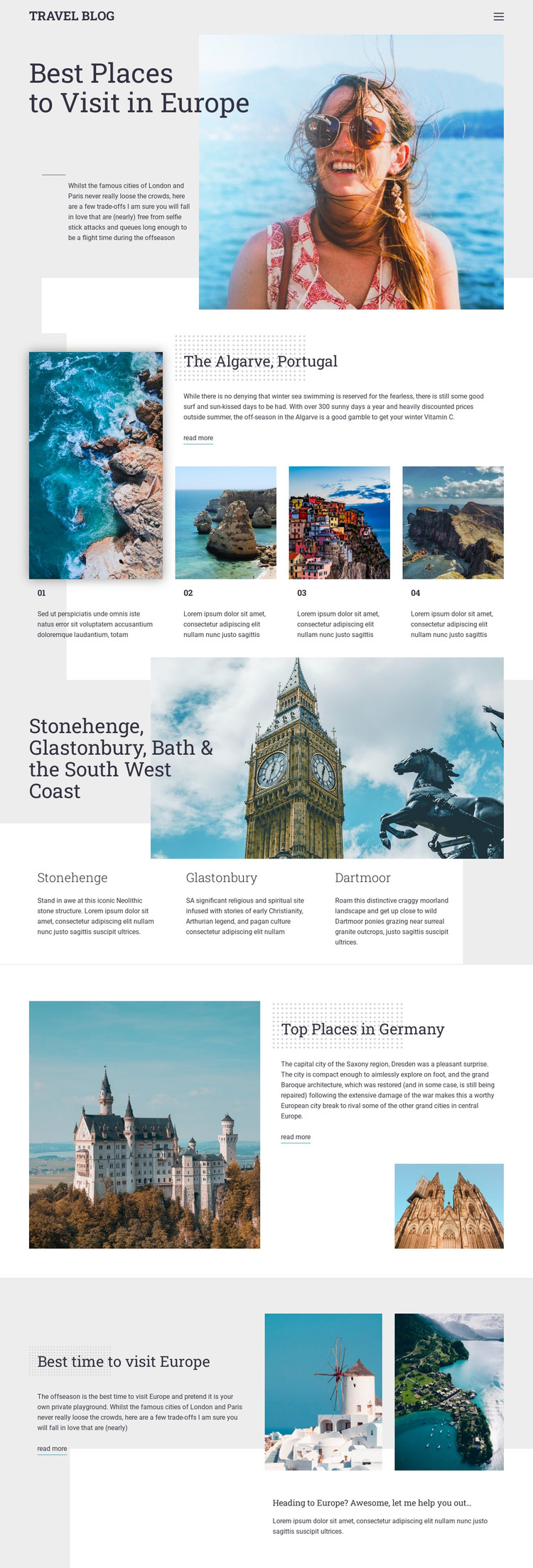
The page contains several content relationships that translate naturally into a WordPress-oriented editorial environment without assuming that WordPress Posts or categories already exist. The hero introduces a permanent travel subject, while the Algarve section combines a featured Portugal story with three related destination items. This makes the layout suitable for page content that explains a region and its supporting places, with the read-more link acting as a route to deeper material.
The South West England section provides a second model for repeated content. A wide regional image introduces three location descriptions for Stonehenge, Glastonbury, and Dartmoor, keeping related information visually grouped. The Germany split block is more article-led, balancing a large landscape photograph, Dresden-related text, and a smaller supporting image. These different content patterns could support a travel site that mixes destination pages, regional guides, and regularly updated editorial material while retaining the same visual direction.
Seasonal advice gives the theme another permanent page-like subject: when to visit Europe. Two photographs and a closing prompt extend the content beyond place descriptions into practical planning. The shared header and navigation can connect these areas as one site experience. In WordPress, the design may therefore serve as a visual environment for page-oriented travel information and future editorial content, but the template analysis does not verify an existing blog system, post archive, or WordPress-specific component.
Customize with Nicepage
Open this ready-made template in the WordPress Website Builder and customize it visually in the Nicepage editor. Replace demo content, edit page sections, and adapt the design to your project without rebuilding the template from scratch.
Manage and Edit This Theme in WordPress
Customize and Install the WordPress Theme
Start with this ready-made theme instead of building the WordPress design from scratch. Customize its layout, content, typography, images, sections, and other design elements visually in Nicepage editor, then export and install the WordPress Theme, Plugin, and Pages on your WordPress site. The Nicepage WordPress Plugin lets you continue working with the site after installation.
Edit the Theme Directly in WordPress
After installation, you can edit the WordPress Theme directly in WordPress with the Nicepage WordPress Plugin. Use Site Style to customize site Colors, Fonts, Header, Footer, Blog, and Post Page Templates while working within your WordPress website.
Edit WordPress Pages Visually
Use the Nicepage WordPress Plugin to edit page content directly from the WordPress admin area. Open a WordPress Page with Nicepage and visually change its text, images, sections, and other page elements while continuing to manage the Page through WordPress.
WordPress Content and Theme Integration
Use the customized theme with WordPress Pages, Posts, Blog and Post Templates, menus, widgets, and other CMS-managed content. Shared theme elements such as Colors, Fonts, Header, Footer, Blog, and Post Page Templates can be managed as part of the overall site design, while WordPress provides the CMS environment for managing site content.
This workflow combines a ready-made WordPress Theme with visual customization, direct theme editing in WordPress, and continued content management through the Nicepage WordPress Plugin.





















