
Mountain beauty in travel WordPress Theme


Edit Template Offline
2. Create new page and search for id 60144
Edit Template Online
Create Awesome Websites


Free Nicepage Builder
Keywords
Travel Pages, Repeated Content, and Galleries Fit a Content-Managed Theme
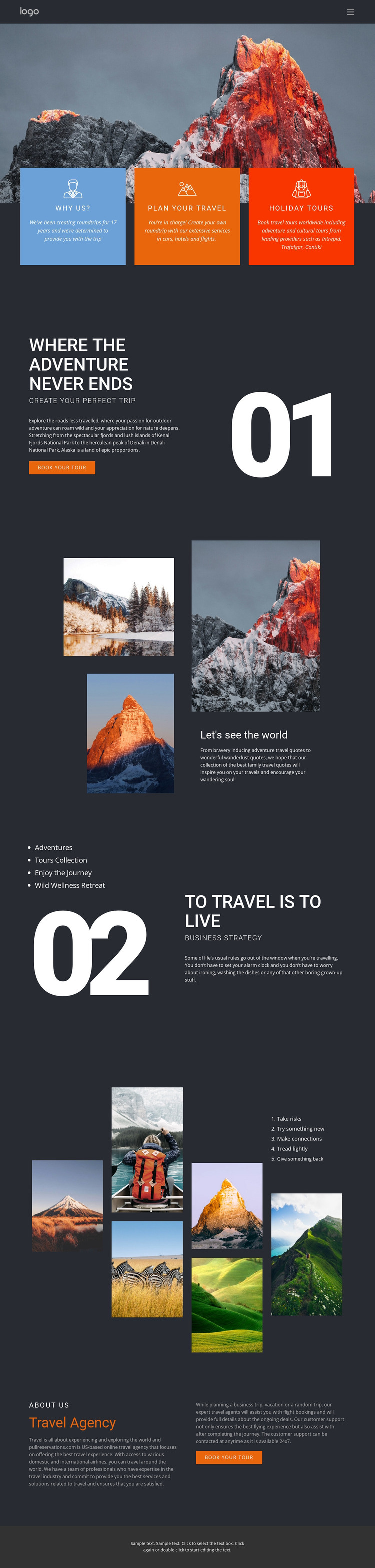
The page-oriented content is divided into clear areas that can support a WordPress-managed travel project. The three feature cards give “Plan Your Travel,” “Holiday Tours,” and related adventure offerings distinct presentation zones, while the split section develops the “Create your perfect trip” message and places a booking action beside it. These areas can remain permanent travel information while their wording and imagery evolve with the project.
The photography sections create a second content relationship. The three-image collage introduces destinations and inspiration beside a compact text panel, and the later six-image mosaic gives outdoor imagery a larger showcase. The “To Travel is To Live” section adds a short editorial layer between those visual areas, making the page suitable for a mix of service information, destination storytelling, and agency content rather than one undifferentiated promotional block.
The closing “Travel Agency” section and repeated “Book your tour” action provide a recognizable page endpoint. In a WordPress-oriented project, these permanent page areas could continue to share the same visual system while the broader site adds or updates related content. Nicepage’s WordPress Plugin is a possible product bridge for editing page content in WordPress, but the template analysis does not establish existing WordPress posts, categories, or blog structures. The confirmed value lies in the design’s organized travel content and reusable visual regions.
Customize with Nicepage
Open this ready-made template in the WordPress Website Builder and customize it visually in the Nicepage editor. Replace demo content, edit page sections, and adapt the design to your project without rebuilding the template from scratch.
Manage and Edit This Theme in WordPress
Customize and Install the WordPress Theme
Start with this ready-made theme instead of building the WordPress design from scratch. Customize its layout, content, typography, images, sections, and other design elements visually in Nicepage editor, then export and install the WordPress Theme, Plugin, and Pages on your WordPress site. The Nicepage WordPress Plugin lets you continue working with the site after installation.
Edit the Theme Directly in WordPress
After installation, you can edit the WordPress Theme directly in WordPress with the Nicepage WordPress Plugin. Use Site Style to customize site Colors, Fonts, Header, Footer, Blog, and Post Page Templates while working within your WordPress website.
Edit WordPress Pages Visually
Use the Nicepage WordPress Plugin to edit page content directly from the WordPress admin area. Open a WordPress Page with Nicepage and visually change its text, images, sections, and other page elements while continuing to manage the Page through WordPress.
WordPress Content and Theme Integration
Use the customized theme with WordPress Pages, Posts, Blog and Post Templates, menus, widgets, and other CMS-managed content. Shared theme elements such as Colors, Fonts, Header, Footer, Blog, and Post Page Templates can be managed as part of the overall site design, while WordPress provides the CMS environment for managing site content.
This workflow combines a ready-made WordPress Theme with visual customization, direct theme editing in WordPress, and continued content management through the Nicepage WordPress Plugin.





















