All about mountain travel WordPress Theme


Edit Template Offline
2. Create new page and search for id 24595
Edit Template Online
Create Awesome Websites


Free Nicepage Builder
Keywords
Destination and Editorial Areas Fit a WordPress Content Structure
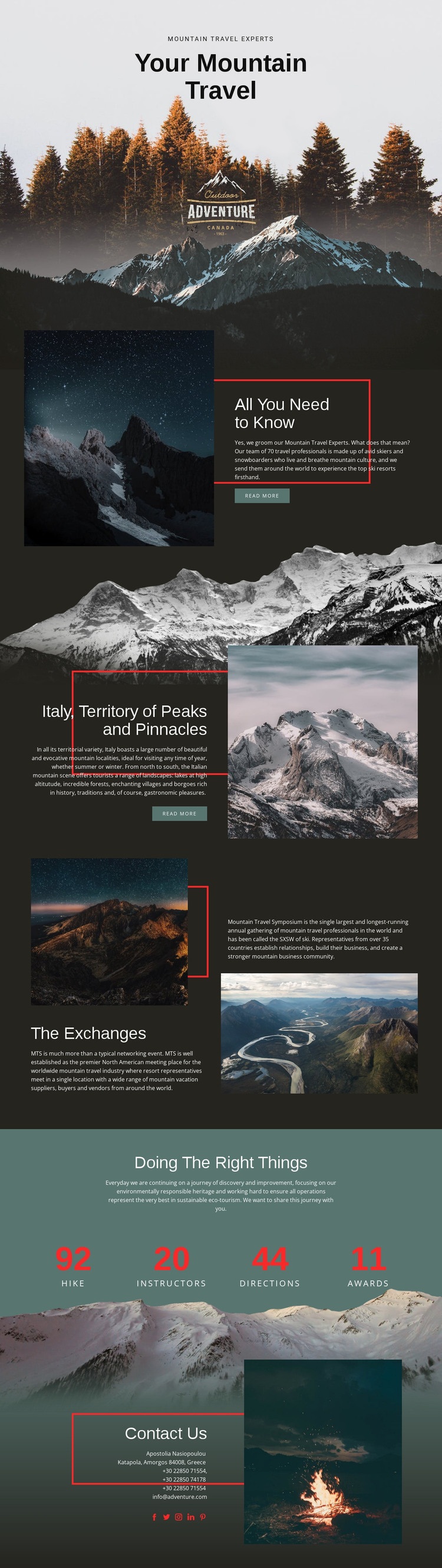
The page contains several kinds of content that can be interpreted naturally within a WordPress-oriented project. The hero and “All You Need to Know” section provide permanent page content for introducing a mountain travel subject and its expertise. The Italy section then gives the design a focused destination area, with a heading, descriptive copy, image, and read-more action that could remain part of the site’s principal page content.
The Exchanges section offers a different publishing relationship. Its Mountain Travel Symposium reference, event-related copy, and two landscape images create an editorial or professional-interest area that could be expanded when the project has additional verified material. The sustainability block provides another repeatable content pattern: a central ecotourism statement followed by four numeric highlights. The sample values should be replaced or independently confirmed rather than treated as established business achievements.
The Contacts section brings together contact information, social links, and a large outdoor image, making it a clear permanent page region. In a WordPress theme implementation, these page-oriented areas can share the same visual system while the project later adds or updates relevant content. The interpretation is based on the template’s actual subject divisions, not on claiming that blog posts, categories, or WordPress-specific content structures already exist.
Customize with Nicepage
Open this ready-made template in the WordPress Website Builder and customize it visually in the Nicepage editor. Replace demo content, edit page sections, and adapt the design to your project without rebuilding the template from scratch.
Manage and Edit This Theme in WordPress
Customize and Install the WordPress Theme
Start with this ready-made theme instead of building the WordPress design from scratch. Customize its layout, content, typography, images, sections, and other design elements visually in Nicepage editor, then export and install the WordPress Theme, Plugin, and Pages on your WordPress site. The Nicepage WordPress Plugin lets you continue working with the site after installation.
Edit the Theme Directly in WordPress
After installation, you can edit the WordPress Theme directly in WordPress with the Nicepage WordPress Plugin. Use Site Style to customize site Colors, Fonts, Header, Footer, Blog, and Post Page Templates while working within your WordPress website.
Edit WordPress Pages Visually
Use the Nicepage WordPress Plugin to edit page content directly from the WordPress admin area. Open a WordPress Page with Nicepage and visually change its text, images, sections, and other page elements while continuing to manage the Page through WordPress.
WordPress Content and Theme Integration
Use the customized theme with WordPress Pages, Posts, Blog and Post Templates, menus, widgets, and other CMS-managed content. Shared theme elements such as Colors, Fonts, Header, Footer, Blog, and Post Page Templates can be managed as part of the overall site design, while WordPress provides the CMS environment for managing site content.
This workflow combines a ready-made WordPress Theme with visual customization, direct theme editing in WordPress, and continued content management through the Nicepage WordPress Plugin.