Education and learning WordPress Theme


Four Stable Education Categories Fit a WordPress-Managed Content Area
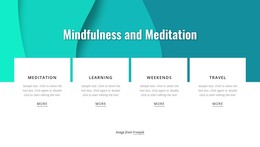
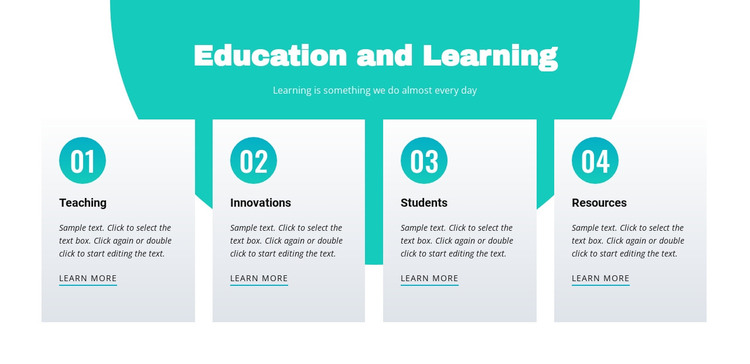
The block’s content is organized like a stable educational section rather than a time-sensitive stream. “Education and Learning” provides the page subject, and the supporting line introduces the idea before four parallel categories divide the information into Teaching, Innovations, Students, and Resources. Each card has a numbered badge, placeholder description, and Learn more link, so the section can remain a consistent visual area while its surrounding page content develops independently.
In a WordPress-managed project, this arrangement can suit permanent page content such as an education overview, features area, or topic directory. The card links can point toward fuller pages or resources managed elsewhere, while the block preserves the same four-category presentation. The teal backdrop and pale gray cards give the content a stable visual container, and the repeated structure makes later text updates easier to understand as revisions to established categories rather than changes to the section’s basic purpose. Since the descriptions are placeholders, specific educational wording should be supplied in the final page. The WordPress Theme context applies to the surrounding content environment; this analyzed item remains one page section, not a complete theme. Nicepage’s WordPress workflow can support broader page editing, but the block’s concrete role is to present four organized educational areas with consistent linking points.
Customize with Nicepage
Open this ready-made template in the WordPress Website Builder and customize it visually in the Nicepage editor. Replace demo content, edit page sections, and adapt the design to your project without rebuilding the template from scratch.
Edit Template Offline
2. Create a new page or select existing
3. Click Add new block, search for id 147968 and click enter
Edit Template Online
Create Awesome Websites


Free Nicepage Builder
Keywords
Manage and Edit This Theme in WordPress
Customize and Install the WordPress Theme
Start with this ready-made theme instead of building the WordPress design from scratch. Customize its layout, content, typography, images, sections, and other design elements visually in Nicepage editor, then export and install the WordPress Theme, Plugin, and Pages on your WordPress site. The Nicepage WordPress Plugin lets you continue working with the site after installation.
Edit the Theme Directly in WordPress
After installation, you can edit the WordPress Theme directly in WordPress with the Nicepage WordPress Plugin. Use Site Style to customize site Colors, Fonts, Header, Footer, Blog, and Post Page Templates while working within your WordPress website.
Edit WordPress Pages Visually
Use the Nicepage WordPress Plugin to edit page content directly from the WordPress admin area. Open a WordPress Page with Nicepage and visually change its text, images, sections, and other page elements while continuing to manage the Page through WordPress.
WordPress Content and Theme Integration
Use the customized theme with WordPress Pages, Posts, Blog and Post Templates, menus, widgets, and other CMS-managed content. Shared theme elements such as Colors, Fonts, Header, Footer, Blog, and Post Page Templates can be managed as part of the overall site design, while WordPress provides the CMS environment for managing site content.
This workflow combines a ready-made WordPress Theme with visual customization, direct theme editing in WordPress, and continued content management through the Nicepage WordPress Plugin.