Sport surf club WordPress Theme


Three Image Cards Make Stable Surf-School Page Content
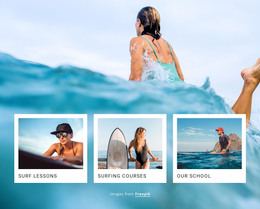
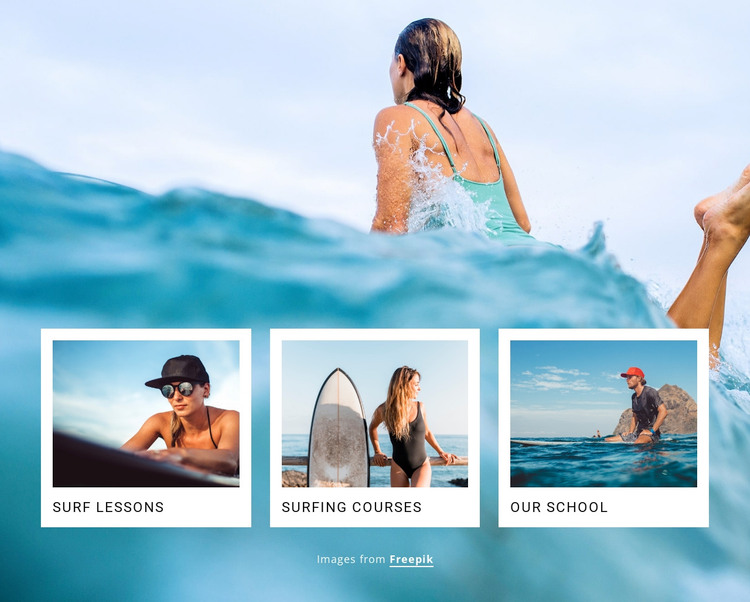
Surf Lessons, Surfing Courses, and Our School form three distinct content items that can sit together as a stable services or category section on a WordPress-managed page. Each item uses the same image-and-label treatment, which gives the section a repeatable pattern while allowing the category names to remain immediately visible. The surfing photographs reinforce the subject of each card without turning the sample imagery into claims about specific instructors, locations, or course results.
The cards share a single horizontal row and overlap the lower middle of a full-width ocean photograph. That relationship gives the section a strong visual anchor: the background establishes the coastal setting, while the white-framed cards carry the page's scannable category information. In WordPress-oriented use, the block can remain permanent page content for a surf school, with separate surrounding content handling detailed descriptions, schedules, forms, or other updates. Its role is the reusable visual section itself, not a standalone WordPress Theme. The static arrangement also makes the three categories easy to preserve as a consistent page area while the broader site grows around them.
Customize with Nicepage
Open this ready-made template in the WordPress Website Builder and customize it visually in the Nicepage editor. Replace demo content, edit page sections, and adapt the design to your project without rebuilding the template from scratch.
Edit Template Offline
2. Create a new page or select existing
3. Click Add new block, search for id 69050 and click enter
Edit Template Online
Create Awesome Websites


Free Nicepage Builder
Keywords
Manage and Edit This Theme in WordPress
Customize and Install the WordPress Theme
Start with this ready-made theme instead of building the WordPress design from scratch. Customize its layout, content, typography, images, sections, and other design elements visually in Nicepage editor, then export and install the WordPress Theme, Plugin, and Pages on your WordPress site. The Nicepage WordPress Plugin lets you continue working with the site after installation.
Edit the Theme Directly in WordPress
After installation, you can edit the WordPress Theme directly in WordPress with the Nicepage WordPress Plugin. Use Site Style to customize site Colors, Fonts, Header, Footer, Blog, and Post Page Templates while working within your WordPress website.
Edit WordPress Pages Visually
Use the Nicepage WordPress Plugin to edit page content directly from the WordPress admin area. Open a WordPress Page with Nicepage and visually change its text, images, sections, and other page elements while continuing to manage the Page through WordPress.
WordPress Content and Theme Integration
Use the customized theme with WordPress Pages, Posts, Blog and Post Templates, menus, widgets, and other CMS-managed content. Shared theme elements such as Colors, Fonts, Header, Footer, Blog, and Post Page Templates can be managed as part of the overall site design, while WordPress provides the CMS environment for managing site content.
This workflow combines a ready-made WordPress Theme with visual customization, direct theme editing in WordPress, and continued content management through the Nicepage WordPress Plugin.