Travel and Live WordPress Theme


Edit Template Offline
2. Create new page and search for id 27423
Edit Template Online
Create Awesome Websites


Free Nicepage Builder
Keywords
Travel Advice and Editorial Stories Form a WordPress Content Foundation
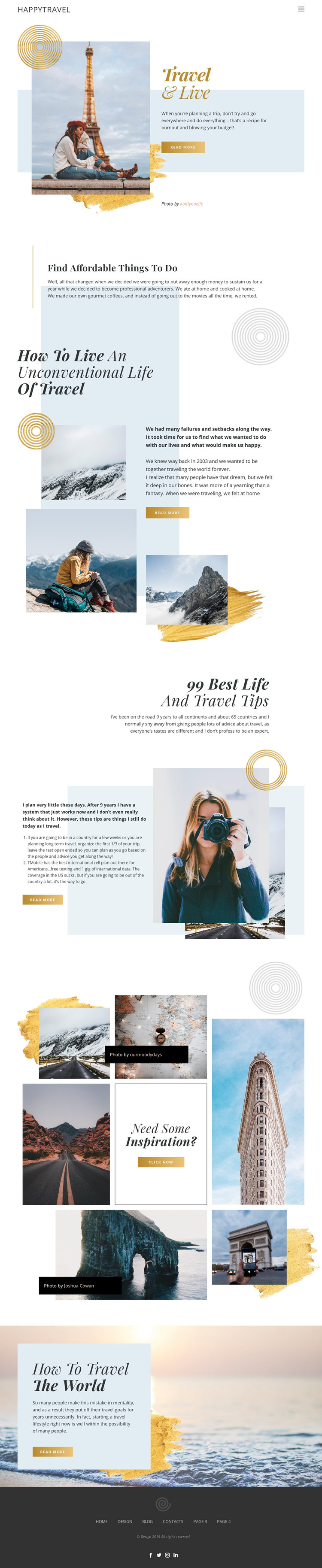
The page divides its travel subject into clear content areas that can translate naturally into a WordPress-managed site. The opening Travel & Live section establishes the main page message, while Find Affordable Things to Do introduces a practical advice category. The unconventional-travel section adds a more personal narrative, and the 99 Best Life and Travel Tips feature provides a list-oriented editorial pattern. Together, these areas distinguish permanent introductory content from material that could be expanded into additional guides, stories, or regularly updated travel features.
The eight-image inspiration collage adds a strong visual content area, while the final How to travel the world callout can direct attention toward another related topic. Navigation and the dark footer create shared site regions around these page sections, with Facebook, Twitter, Instagram, and LinkedIn links already represented in the design. WordPress can therefore provide a content environment for organizing page-oriented travel information and future editorial material without changing the template's visual character. The design does not prove that posts, categories, or a blog structure already exist; instead, its varied advice blocks, narrative sections, and image-led presentation offer clear relationships for mapping content as the project develops. The cream, pale blue, mustard, black, and white palette keeps those additions visually connected.
Customize with Nicepage
Open this ready-made template in the WordPress Website Builder and customize it visually in the Nicepage editor. Replace demo content, edit page sections, and adapt the design to your project without rebuilding the template from scratch.
Manage and Edit This Theme in WordPress
Customize and Install the WordPress Theme
Start with this ready-made theme instead of building the WordPress design from scratch. Customize its layout, content, typography, images, sections, and other design elements visually in Nicepage editor, then export and install the WordPress Theme, Plugin, and Pages on your WordPress site. The Nicepage WordPress Plugin lets you continue working with the site after installation.
Edit the Theme Directly in WordPress
After installation, you can edit the WordPress Theme directly in WordPress with the Nicepage WordPress Plugin. Use Site Style to customize site Colors, Fonts, Header, Footer, Blog, and Post Page Templates while working within your WordPress website.
Edit WordPress Pages Visually
Use the Nicepage WordPress Plugin to edit page content directly from the WordPress admin area. Open a WordPress Page with Nicepage and visually change its text, images, sections, and other page elements while continuing to manage the Page through WordPress.
WordPress Content and Theme Integration
Use the customized theme with WordPress Pages, Posts, Blog and Post Templates, menus, widgets, and other CMS-managed content. Shared theme elements such as Colors, Fonts, Header, Footer, Blog, and Post Page Templates can be managed as part of the overall site design, while WordPress provides the CMS environment for managing site content.
This workflow combines a ready-made WordPress Theme with visual customization, direct theme editing in WordPress, and continued content management through the Nicepage WordPress Plugin.