Unlimited classes and personal training WordPress Theme


Three Publishable Service Areas Within a Fitness Page
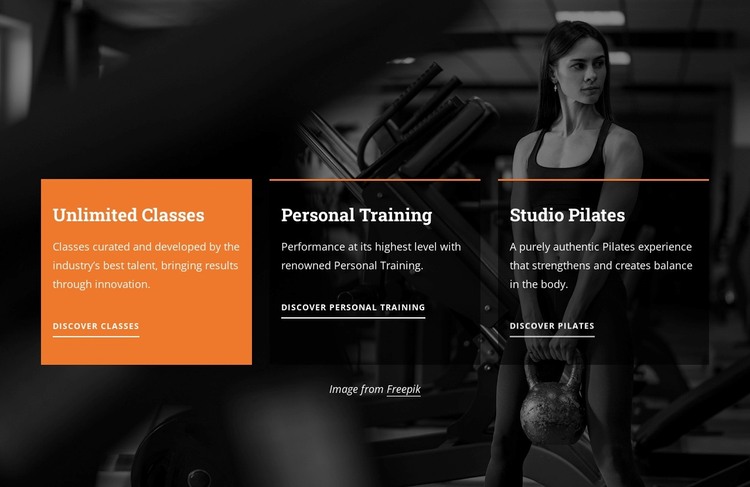
The three cards translate naturally into stable services content within a WordPress-managed page. Unlimited Classes, Personal Training, and Studio Pilates each have a distinct title, descriptive text, and dedicated link, so the section can preserve the differences between the offerings instead of presenting them as one general paragraph. The labels Discover Classes, Discover Personal Training, and Discover Pilates also give each content area a clear onward destination within the surrounding project.
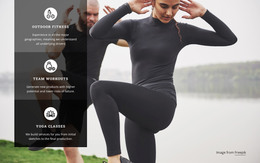
The block's visual structure keeps that page content unified. A single full-width fitness image establishes the background context, while the horizontal card row creates three separate reading areas across it. The orange treatment on Unlimited Classes can draw attention to one featured service, whereas the translucent black panels for Personal Training and Studio Pilates maintain a related but quieter presentation. White text and thin orange top borders repeat the visual cues across all cards, and bottom-aligned links give each item the same finishing position.
In a WordPress-oriented project, this section can serve as permanent fitness-services content on a broader page while other CMS-managed areas handle additional information around it. The block does not need to carry the whole site structure: it supplies one reusable, visually consistent content region whose three offerings can point visitors toward fuller service details.
Customize with Nicepage
Open this ready-made template in the WordPress Website Builder and customize it visually in the Nicepage editor. Replace demo content, edit page sections, and adapt the design to your project without rebuilding the template from scratch.
Edit Template Offline
2. Create a new page or select existing
3. Click Add new block, search for id 6211131 and click enter
Edit Template Online
Create Awesome Websites


Free Nicepage Builder
Keywords
Manage and Edit This Theme in WordPress
Customize and Install the WordPress Theme
Start with this ready-made theme instead of building the WordPress design from scratch. Customize its layout, content, typography, images, sections, and other design elements visually in Nicepage editor, then export and install the WordPress Theme, Plugin, and Pages on your WordPress site. The Nicepage WordPress Plugin lets you continue working with the site after installation.
Edit the Theme Directly in WordPress
After installation, you can edit the WordPress Theme directly in WordPress with the Nicepage WordPress Plugin. Use Site Style to customize site Colors, Fonts, Header, Footer, Blog, and Post Page Templates while working within your WordPress website.
Edit WordPress Pages Visually
Use the Nicepage WordPress Plugin to edit page content directly from the WordPress admin area. Open a WordPress Page with Nicepage and visually change its text, images, sections, and other page elements while continuing to manage the Page through WordPress.
WordPress Content and Theme Integration
Use the customized theme with WordPress Pages, Posts, Blog and Post Templates, menus, widgets, and other CMS-managed content. Shared theme elements such as Colors, Fonts, Header, Footer, Blog, and Post Page Templates can be managed as part of the overall site design, while WordPress provides the CMS environment for managing site content.
This workflow combines a ready-made WordPress Theme with visual customization, direct theme editing in WordPress, and continued content management through the Nicepage WordPress Plugin.