Better way of doing sports WordPress Theme


Edit Template Offline
2. Create new page and search for id 71058
Edit Template Online
Create Awesome Websites


Free Nicepage Builder
Keywords
Activity and Editorial Areas Fit a Managed Fitness Site
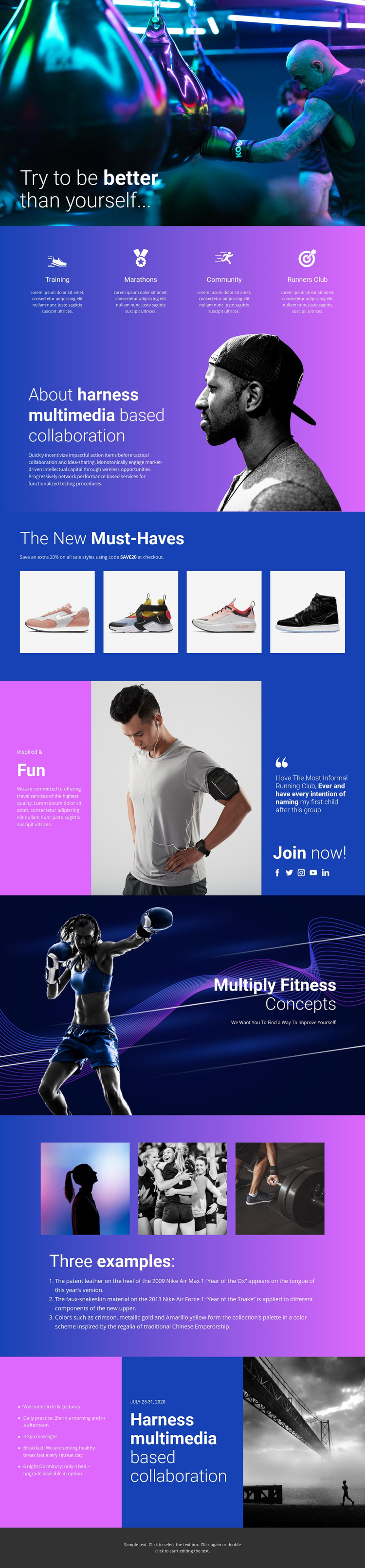
The four repeated activity areas give the design a clear page-oriented content structure. Training, Marathons, Community, and Runners Club can each carry distinct explanatory material while remaining visually coordinated with the same fitness theme. The about split then provides a more stable information area for background or collaboration content, using text beside a portrait rather than another repeated feature card.
The product showcase creates a separate content relationship: four photographs appear together beneath “The New Must-Haves,” making the section suitable for presenting lifestyle products or equipment-related material as part of the broader page. The community section has a more editorial and participatory role, combining a quote, lifestyle messaging, five social-link icons, and a Join now! invitation. The gallery of three example photographs above a numbered list adds another repeatable format for activities, stories, or explanatory content.
A dated program panel showing July 25-31, 2020 completes the content range with an event-like area, although the displayed date is treated as sample content rather than a verified current program. These page regions can remain within one visual system while content is updated over time. The analysis confirms the design areas, not the existence of WordPress Posts, categories, or blog structures, so those should be introduced only if the project requires them.
Customize with Nicepage
Open this ready-made template in the WordPress Website Builder and customize it visually in the Nicepage editor. Replace demo content, edit page sections, and adapt the design to your project without rebuilding the template from scratch.
Manage and Edit This Theme in WordPress
Customize and Install the WordPress Theme
Start with this ready-made theme instead of building the WordPress design from scratch. Customize its layout, content, typography, images, sections, and other design elements visually in Nicepage editor, then export and install the WordPress Theme, Plugin, and Pages on your WordPress site. The Nicepage WordPress Plugin lets you continue working with the site after installation.
Edit the Theme Directly in WordPress
After installation, you can edit the WordPress Theme directly in WordPress with the Nicepage WordPress Plugin. Use Site Style to customize site Colors, Fonts, Header, Footer, Blog, and Post Page Templates while working within your WordPress website.
Edit WordPress Pages Visually
Use the Nicepage WordPress Plugin to edit page content directly from the WordPress admin area. Open a WordPress Page with Nicepage and visually change its text, images, sections, and other page elements while continuing to manage the Page through WordPress.
WordPress Content and Theme Integration
Use the customized theme with WordPress Pages, Posts, Blog and Post Templates, menus, widgets, and other CMS-managed content. Shared theme elements such as Colors, Fonts, Header, Footer, Blog, and Post Page Templates can be managed as part of the overall site design, while WordPress provides the CMS environment for managing site content.
This workflow combines a ready-made WordPress Theme with visual customization, direct theme editing in WordPress, and continued content management through the Nicepage WordPress Plugin.