Breaking Limits WordPress Theme


Two Stable Tennis Content Areas for WordPress Page Layouts
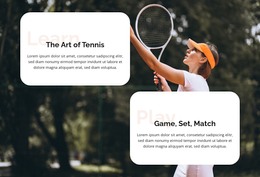
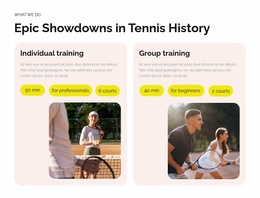
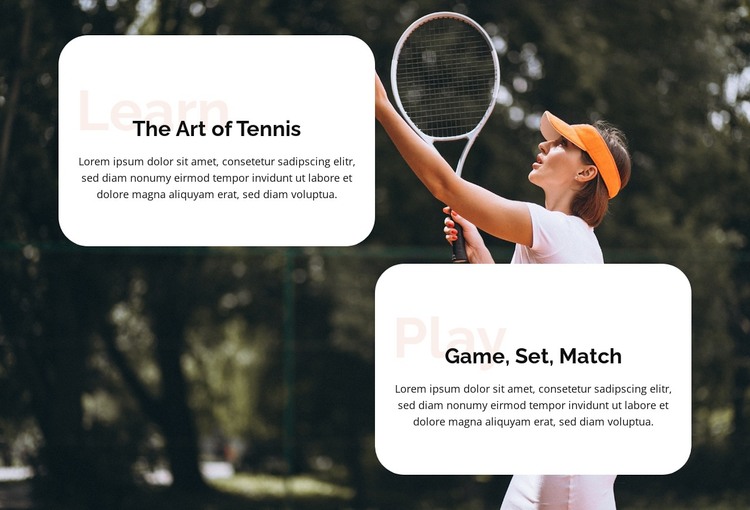
The Learn and Play cards read as stable page content rather than as a single undifferentiated text panel. The Art of Tennis gives the first unit an instructional or thematic focus, while Game, Set, Match gives the second a more activity-oriented focus. Each card includes a supporting paragraph, so the two subjects can be maintained as separate content areas while sharing one visual treatment. The static arrangement is straightforward to place within a page layout.
The section’s visual hierarchy is built around contrast and repetition. A dark background image featuring a tennis player with a racket establishes the subject immediately, while two rounded white cards create calm reading surfaces above the photograph. Pale labels identify the two content tracks, black headings carry the strongest emphasis, and centered copy keeps the cards visually balanced. Their staggered diagonal position adds separation without introducing a carousel or other interaction.
In a WordPress-managed project, this block can provide permanent sports-related page content within a broader theme and page structure. The two paragraphs can be maintained as related but independent information, while other CMS-managed content surrounds the section. Its practical role is a reusable tennis content region: a focused visual unit that supports a page without being mistaken for a complete WordPress Theme.
Customize with Nicepage
Open this ready-made template in the WordPress Website Builder and customize it visually in the Nicepage editor. Replace demo content, edit page sections, and adapt the design to your project without rebuilding the template from scratch.
Edit Template Offline
2. Create a new page or select existing
3. Click Add new block, search for id 6429860 and click enter
Edit Template Online
Create Awesome Websites


Free Nicepage Builder
Keywords
Manage and Edit This Theme in WordPress
Customize and Install the WordPress Theme
Start with this ready-made theme instead of building the WordPress design from scratch. Customize its layout, content, typography, images, sections, and other design elements visually in Nicepage editor, then export and install the WordPress Theme, Plugin, and Pages on your WordPress site. The Nicepage WordPress Plugin lets you continue working with the site after installation.
Edit the Theme Directly in WordPress
After installation, you can edit the WordPress Theme directly in WordPress with the Nicepage WordPress Plugin. Use Site Style to customize site Colors, Fonts, Header, Footer, Blog, and Post Page Templates while working within your WordPress website.
Edit WordPress Pages Visually
Use the Nicepage WordPress Plugin to edit page content directly from the WordPress admin area. Open a WordPress Page with Nicepage and visually change its text, images, sections, and other page elements while continuing to manage the Page through WordPress.
WordPress Content and Theme Integration
Use the customized theme with WordPress Pages, Posts, Blog and Post Templates, menus, widgets, and other CMS-managed content. Shared theme elements such as Colors, Fonts, Header, Footer, Blog, and Post Page Templates can be managed as part of the overall site design, while WordPress provides the CMS environment for managing site content.
This workflow combines a ready-made WordPress Theme with visual customization, direct theme editing in WordPress, and continued content management through the Nicepage WordPress Plugin.