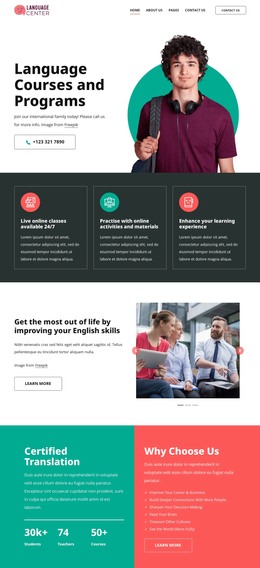
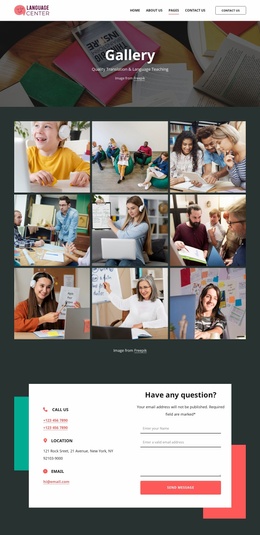
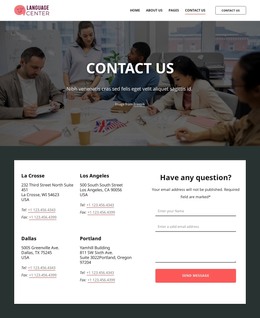
Language learning courses WordPress Theme



Eight Priced Course Cards Provide Stable WordPress Page Content
The “Our Courses” heading and supporting paragraph introduce a clearly bounded course area before the visitor reaches eight repeated offering cards. Each card combines a course title, photographic background, dark overlay, displayed price, “Price per lesson” label, and Learn More button. This consistent content pattern makes the section suitable for permanent page content in a WordPress-managed education site, where the course area can remain visually stable while surrounding content develops separately.
The card categories provide different ways to organize the offering message. English for Beginners and English for Kids indicate accessible entry points, while English for Business and Exam Preparation describe more specific goals. Online Learning, Self-study Courses, Private Lessons, and Private Mini-Groups distinguish delivery or study formats. Presented in two rows of four, these options form one scannable services region rather than an undifferentiated text list. The centered button below the grid can direct visitors toward wider course information without changing the role of the individual card actions.
Within a WordPress-oriented project, the block can serve as a reusable section on a stable services or courses page, while other content areas handle instructors, testimonials, enrollment details, or contact information. The displayed prices are sample values to adapt to the final offering. Nicepage’s WordPress workflow can support broader page editing, but this block remains one course-content region rather than a complete theme or site.
Customize with Nicepage
Open this ready-made template in the WordPress Website Builder and customize it visually in the Nicepage editor. Replace demo content, edit page sections, and adapt the design to your project without rebuilding the template from scratch.
Edit Template Offline
2. Create a new page or select existing
3. Click Add new block, search for id 6414193 and click enter
Edit Template Online
Create Awesome Websites


Free Nicepage Builder
Keywords
Manage and Edit This Theme in WordPress
Customize and Install the WordPress Theme
Start with this ready-made theme instead of building the WordPress design from scratch. Customize its layout, content, typography, images, sections, and other design elements visually in Nicepage editor, then export and install the WordPress Theme, Plugin, and Pages on your WordPress site. The Nicepage WordPress Plugin lets you continue working with the site after installation.
Edit the Theme Directly in WordPress
After installation, you can edit the WordPress Theme directly in WordPress with the Nicepage WordPress Plugin. Use Site Style to customize site Colors, Fonts, Header, Footer, Blog, and Post Page Templates while working within your WordPress website.
Edit WordPress Pages Visually
Use the Nicepage WordPress Plugin to edit page content directly from the WordPress admin area. Open a WordPress Page with Nicepage and visually change its text, images, sections, and other page elements while continuing to manage the Page through WordPress.
WordPress Content and Theme Integration
Use the customized theme with WordPress Pages, Posts, Blog and Post Templates, menus, widgets, and other CMS-managed content. Shared theme elements such as Colors, Fonts, Header, Footer, Blog, and Post Page Templates can be managed as part of the overall site design, while WordPress provides the CMS environment for managing site content.
This workflow combines a ready-made WordPress Theme with visual customization, direct theme editing in WordPress, and continued content management through the Nicepage WordPress Plugin.