Innovation approach to work WordPress Theme


A Visual Work Area for Stable Architecture Page Content
The centered introduction gives this section a stable page-content role before the gallery begins. The “Architecture & Engineering” heading names the subject directly, and the supporting copy frames several areas of work: public, educational, and corporate facilities, residential design from single-family homes to large-scale multi-family housing, retail, mixed-use facilities, health care, and interior architecture. In a WordPress-managed site, this combination can function as a durable architecture or engineering content area rather than a time-sensitive feed.
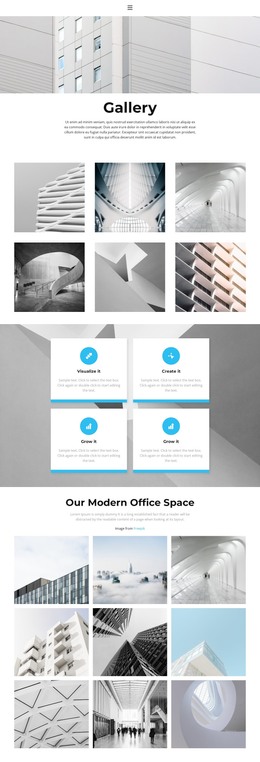
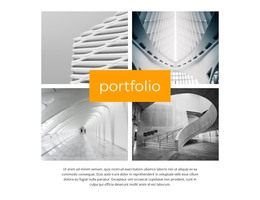
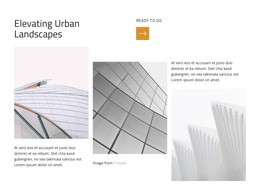
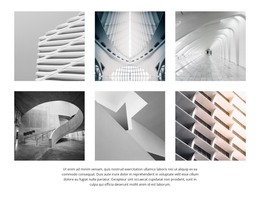
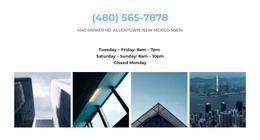
The gallery reinforces that role through its fixed five-image structure. One tall image provides a strong left-side anchor, while four smaller images are placed in stacked pairs to the right. The arrangement lets several project views appear together without flattening them into an undifferentiated row. Consistent rectangular crops and narrow white gutters create order, while the cool blue, white, brown, and warm architectural tones add visual distinction within the same presentation.
For WordPress-oriented page content, the block can occupy a services, portfolio, or work-gallery region while other areas of the site provide navigation and additional project detail. Its static interaction keeps the emphasis on readable context and immediate visual comparison. The section therefore works as a reusable page component whose architecture-focused copy and image hierarchy remain recognizable even as the broader site manages other content around it.
Customize with Nicepage
Open this ready-made template in the WordPress Website Builder and customize it visually in the Nicepage editor. Replace demo content, edit page sections, and adapt the design to your project without rebuilding the template from scratch.
Edit Template Offline
2. Create a new page or select existing
3. Click Add new block, search for id 56670 and click enter
Edit Template Online
Create Awesome Websites


Free Nicepage Builder
Keywords
Manage and Edit This Theme in WordPress
Customize and Install the WordPress Theme
Start with this ready-made theme instead of building the WordPress design from scratch. Customize its layout, content, typography, images, sections, and other design elements visually in Nicepage editor, then export and install the WordPress Theme, Plugin, and Pages on your WordPress site. The Nicepage WordPress Plugin lets you continue working with the site after installation.
Edit the Theme Directly in WordPress
After installation, you can edit the WordPress Theme directly in WordPress with the Nicepage WordPress Plugin. Use Site Style to customize site Colors, Fonts, Header, Footer, Blog, and Post Page Templates while working within your WordPress website.
Edit WordPress Pages Visually
Use the Nicepage WordPress Plugin to edit page content directly from the WordPress admin area. Open a WordPress Page with Nicepage and visually change its text, images, sections, and other page elements while continuing to manage the Page through WordPress.
WordPress Content and Theme Integration
Use the customized theme with WordPress Pages, Posts, Blog and Post Templates, menus, widgets, and other CMS-managed content. Shared theme elements such as Colors, Fonts, Header, Footer, Blog, and Post Page Templates can be managed as part of the overall site design, while WordPress provides the CMS environment for managing site content.
This workflow combines a ready-made WordPress Theme with visual customization, direct theme editing in WordPress, and continued content management through the Nicepage WordPress Plugin.