From start to finish WordPress Theme


Four Stable Feature Items Form a WordPress Page Section
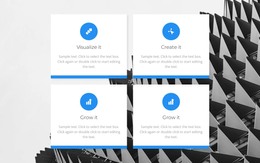
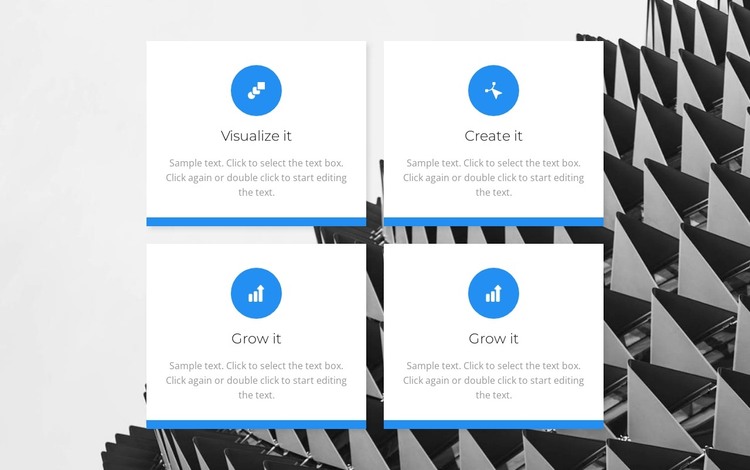
The block’s content model is well suited to a stable page section: four feature cards present short titles and supporting paragraphs in a consistent visual pattern. “Visualize it,” “Create it,” and the two “Grow it” labels provide four distinct content positions, while the circular icons help mark each item at a glance. White card backgrounds and blue bottom borders keep the information grouped and readable over the full-width architectural image.
In a WordPress-oriented project, this section can function as permanent page content for a page that explains capabilities, stages, or an organized process. The block does not need to carry changing editorial material to be useful; its value is the clear relationship between four related items and their shared presentation. Other CMS-managed content can surround it, while this feature area retains its own visual pattern and informational purpose.
The two-by-two arrangement also gives the section a dependable footprint within a page layout. Its equal cards prevent one item from becoming the visual authority, and the static interaction keeps every feature available without requiring visitors to open panels or move through slides. If the broader WordPress project uses a consistent design direction, the blue accents, centered typography, or restrained architectural imagery can provide cues for related page sections. The analyzed section itself remains one reusable content area rather than a complete theme or site.
Customize with Nicepage
Open this ready-made template in the WordPress Website Builder and customize it visually in the Nicepage editor. Replace demo content, edit page sections, and adapt the design to your project without rebuilding the template from scratch.
Edit Template Offline
2. Create a new page or select existing
3. Click Add new block, search for id 3668645 and click enter
Edit Template Online
Create Awesome Websites


Free Nicepage Builder
Keywords
Manage and Edit This Theme in WordPress
Customize and Install the WordPress Theme
Start with this ready-made theme instead of building the WordPress design from scratch. Customize its layout, content, typography, images, sections, and other design elements visually in Nicepage editor, then export and install the WordPress Theme, Plugin, and Pages on your WordPress site. The Nicepage WordPress Plugin lets you continue working with the site after installation.
Edit the Theme Directly in WordPress
After installation, you can edit the WordPress Theme directly in WordPress with the Nicepage WordPress Plugin. Use Site Style to customize site Colors, Fonts, Header, Footer, Blog, and Post Page Templates while working within your WordPress website.
Edit WordPress Pages Visually
Use the Nicepage WordPress Plugin to edit page content directly from the WordPress admin area. Open a WordPress Page with Nicepage and visually change its text, images, sections, and other page elements while continuing to manage the Page through WordPress.
WordPress Content and Theme Integration
Use the customized theme with WordPress Pages, Posts, Blog and Post Templates, menus, widgets, and other CMS-managed content. Shared theme elements such as Colors, Fonts, Header, Footer, Blog, and Post Page Templates can be managed as part of the overall site design, while WordPress provides the CMS environment for managing site content.
This workflow combines a ready-made WordPress Theme with visual customization, direct theme editing in WordPress, and continued content management through the Nicepage WordPress Plugin.