We are an independent firm, owned in trust by our members WordPress Theme


Edit Template Offline
2. Create new page and search for id 5094142
Edit Template Online
Create Awesome Websites


Free Nicepage Builder
Keywords
Service cards and project slides create distinct WordPress content areas
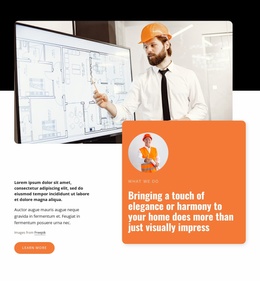
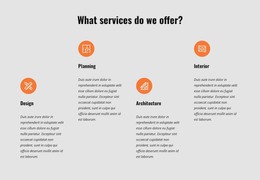
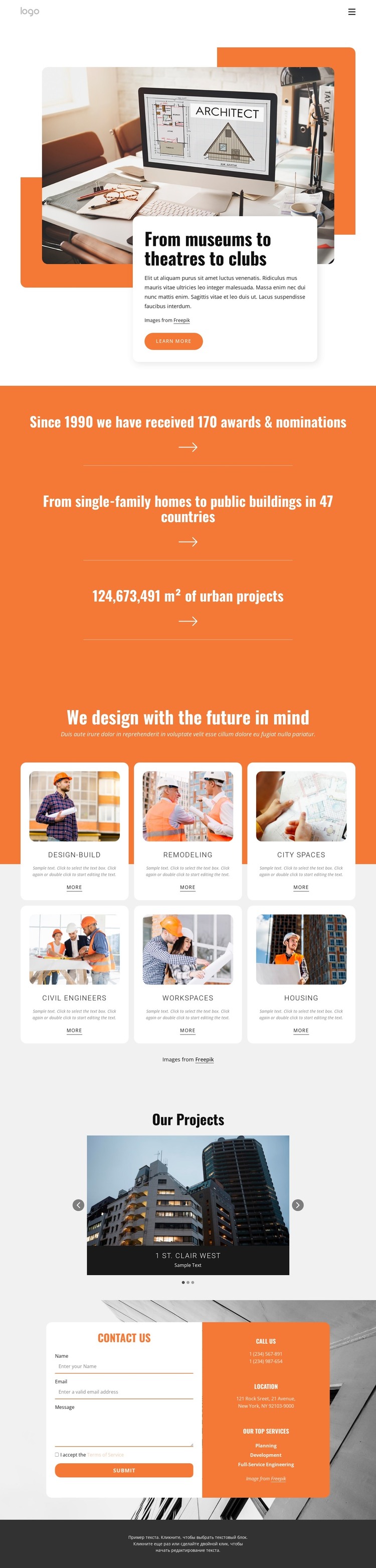
The six service cards provide a useful page-oriented structure for a WordPress-managed architecture site because each card identifies a separate area of work without blending all offerings into one text block. Design-Build, Remodeling, City Spaces, Civil Engineers, Workspaces, and Housing can remain stable service content while their descriptions, images, or destinations are updated as the firm’s presentation develops. The opening image and overlapping white card can serve as the main page introduction, keeping the project-focused identity visible before visitors move into those recurring content areas.
The “Our Projects” gallery gives the theme a separate visual content zone for selected work. Its three slides, labels, and controls organize project presentation differently from the service cards, making it possible to distinguish capabilities from completed or representative work. The orange metrics band can support a concise project-scale message, but its sample values should be replaced with verified information before publication. At the bottom, the contact form collects name, email, and message details, while the adjacent information panel keeps phone, location, and service highlights available. This division suits a WordPress content environment because permanent page information, changing project material, and inquiry content have visibly different roles while sharing one visual system.
Customize with Nicepage
Open this ready-made template in the WordPress Website Builder and customize it visually in the Nicepage editor. Replace demo content, edit page sections, and adapt the design to your project without rebuilding the template from scratch.
Manage and Edit This Theme in WordPress
Customize and Install the WordPress Theme
Start with this ready-made theme instead of building the WordPress design from scratch. Customize its layout, content, typography, images, sections, and other design elements visually in Nicepage editor, then export and install the WordPress Theme, Plugin, and Pages on your WordPress site. The Nicepage WordPress Plugin lets you continue working with the site after installation.
Edit the Theme Directly in WordPress
After installation, you can edit the WordPress Theme directly in WordPress with the Nicepage WordPress Plugin. Use Site Style to customize site Colors, Fonts, Header, Footer, Blog, and Post Page Templates while working within your WordPress website.
Edit WordPress Pages Visually
Use the Nicepage WordPress Plugin to edit page content directly from the WordPress admin area. Open a WordPress Page with Nicepage and visually change its text, images, sections, and other page elements while continuing to manage the Page through WordPress.
WordPress Content and Theme Integration
Use the customized theme with WordPress Pages, Posts, Blog and Post Templates, menus, widgets, and other CMS-managed content. Shared theme elements such as Colors, Fonts, Header, Footer, Blog, and Post Page Templates can be managed as part of the overall site design, while WordPress provides the CMS environment for managing site content.
This workflow combines a ready-made WordPress Theme with visual customization, direct theme editing in WordPress, and continued content management through the Nicepage WordPress Plugin.