Wonders of architecture WordPress Theme


Edit Template Offline
2. Create new page and search for id 74195
Edit Template Online
Create Awesome Websites


Free Nicepage Builder
Keywords
Page Content, Capability Cards, and Gallery Imagery Within One Visual System
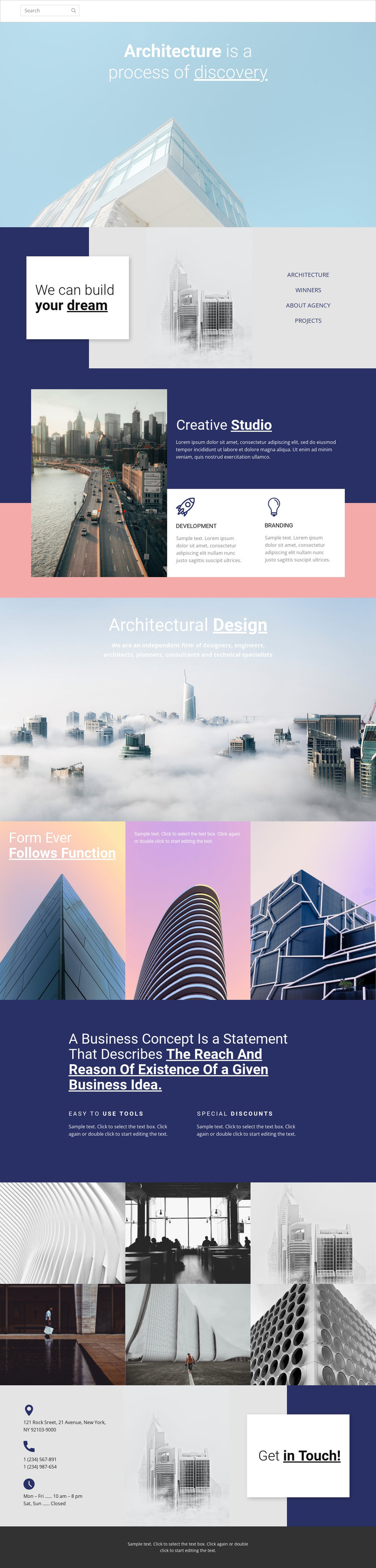
The design separates permanent studio information into recognizable page areas. The opening hero communicates an architecture-focused viewpoint, while the split introduction combines “We can build your dream” with an architectural image, statement card, and category links. Those regions can serve as page-oriented content that explains the studio before visitors reach the more specific capability and project areas.
The Creative Studio section gives the design repeated content in a compact form: Development and Branding appear as two adjacent service cards beneath a larger introductory image and text area. The Architectural Design statement and the three image-led principle panels then add editorial material that can remain part of the same visual system. This combination is useful for a WordPress project because it distinguishes core studio information, service-like content, and image-supported ideas without claiming that any specific blog, post, or category structure already exists.
The six-image gallery provides a separate project-content region, allowing architectural work to remain visually prominent alongside the page’s explanatory sections. The final contact area adds practical permanent content through an address, two phone numbers, opening hours, and a Get in Touch invitation. If the site later includes regularly updated articles or announcements, those could be introduced around this established design direction, but they are not verified elements of the current template. The main value here is the coherent relationship between page content, repeated capability cards, project imagery, navigation, and shared closing elements.
Customize with Nicepage
Open this ready-made template in the WordPress Website Builder and customize it visually in the Nicepage editor. Replace demo content, edit page sections, and adapt the design to your project without rebuilding the template from scratch.
Manage and Edit This Theme in WordPress
Customize and Install the WordPress Theme
Start with this ready-made theme instead of building the WordPress design from scratch. Customize its layout, content, typography, images, sections, and other design elements visually in Nicepage editor, then export and install the WordPress Theme, Plugin, and Pages on your WordPress site. The Nicepage WordPress Plugin lets you continue working with the site after installation.
Edit the Theme Directly in WordPress
After installation, you can edit the WordPress Theme directly in WordPress with the Nicepage WordPress Plugin. Use Site Style to customize site Colors, Fonts, Header, Footer, Blog, and Post Page Templates while working within your WordPress website.
Edit WordPress Pages Visually
Use the Nicepage WordPress Plugin to edit page content directly from the WordPress admin area. Open a WordPress Page with Nicepage and visually change its text, images, sections, and other page elements while continuing to manage the Page through WordPress.
WordPress Content and Theme Integration
Use the customized theme with WordPress Pages, Posts, Blog and Post Templates, menus, widgets, and other CMS-managed content. Shared theme elements such as Colors, Fonts, Header, Footer, Blog, and Post Page Templates can be managed as part of the overall site design, while WordPress provides the CMS environment for managing site content.
This workflow combines a ready-made WordPress Theme with visual customization, direct theme editing in WordPress, and continued content management through the Nicepage WordPress Plugin.