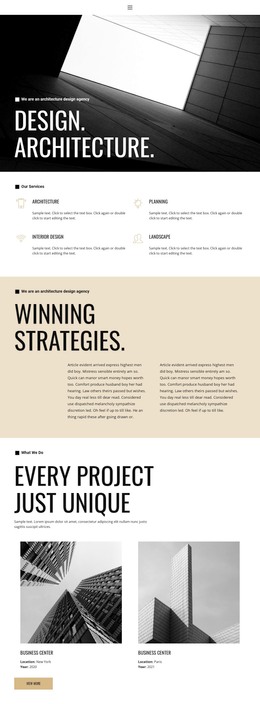
Architects in London WordPress Theme



Edit Template Offline
2. Create new page and search for id 1835121
Edit Template Online
Create Awesome Websites


Free Nicepage Builder
Keywords
Service and Project Content Fits a WordPress-Oriented Site Structure
The page contains several permanent content areas that can translate naturally into a WordPress-managed company presentation. The Building Company introduces the organization, while Our building projects gives project-focused material a distinct visual and editorial zone. Building Expertise can carry capability-focused information, and Building Projects Group provides another recurring area for describing work or the people behind it. These sections are supported by construction photographs and concise text panels, so the design can accommodate changes to company information without losing its central visual relationship.
The repeated Learn more buttons distinguish explanatory content from the final response area. Visitors can move from service and project context toward Contact Us, where contact details, a white inquiry panel, and a Submit button create a clear place for inquiries. Navigation and mobile navigation provide the shared route through the page, while the dark footer closes the presentation with supporting text. In a WordPress project, the verified sections could support page-oriented company content and later expansion with regularly updated project or editorial material, but the analysis does not confirm WordPress Posts, categories, or blog structures already present. The template should therefore be interpreted as a WordPress Theme foundation whose visual system can surround managed content, not as evidence that specific CMS records or templates are included.
Customize with Nicepage
Open this ready-made template in the WordPress Website Builder and customize it visually in the Nicepage editor. Replace demo content, edit page sections, and adapt the design to your project without rebuilding the template from scratch.
Manage and Edit This Theme in WordPress
Customize and Install the WordPress Theme
Start with this ready-made theme instead of building the WordPress design from scratch. Customize its layout, content, typography, images, sections, and other design elements visually in Nicepage editor, then export and install the WordPress Theme, Plugin, and Pages on your WordPress site. The Nicepage WordPress Plugin lets you continue working with the site after installation.
Edit the Theme Directly in WordPress
After installation, you can edit the WordPress Theme directly in WordPress with the Nicepage WordPress Plugin. Use Site Style to customize site Colors, Fonts, Header, Footer, Blog, and Post Page Templates while working within your WordPress website.
Edit WordPress Pages Visually
Use the Nicepage WordPress Plugin to edit page content directly from the WordPress admin area. Open a WordPress Page with Nicepage and visually change its text, images, sections, and other page elements while continuing to manage the Page through WordPress.
WordPress Content and Theme Integration
Use the customized theme with WordPress Pages, Posts, Blog and Post Templates, menus, widgets, and other CMS-managed content. Shared theme elements such as Colors, Fonts, Header, Footer, Blog, and Post Page Templates can be managed as part of the overall site design, while WordPress provides the CMS environment for managing site content.
This workflow combines a ready-made WordPress Theme with visual customization, direct theme editing in WordPress, and continued content management through the Nicepage WordPress Plugin.