Redefining Modern Spaces WordPress Theme



Edit Template Offline
2. Create new page and search for id 6487667
Edit Template Online
Create Awesome Websites


Free Nicepage Builder
Keywords
Portfolio Evidence and Capability Content Fit a WordPress Theme Structure
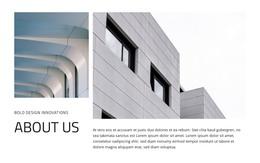
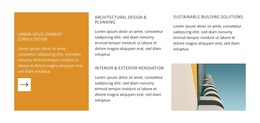
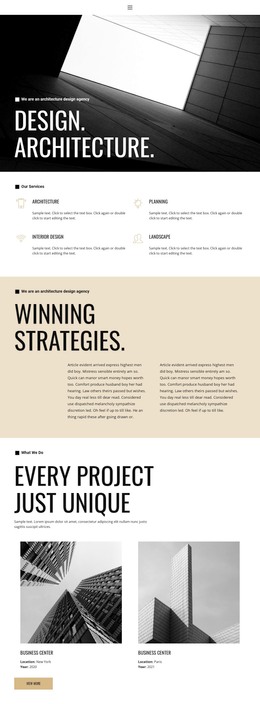
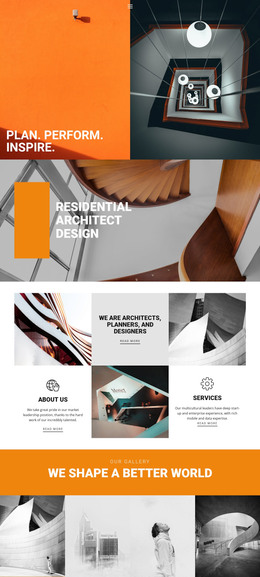
The opening split section supplies permanent studio content: a primary architectural message, a service list, and a large supporting image. Those areas can work naturally as page-oriented content in a WordPress-managed site because they explain what the studio does before the portfolio material begins. The service labels also give the design a clear distinction between architectural design and planning, urban development consultation, sustainability, and visualization.
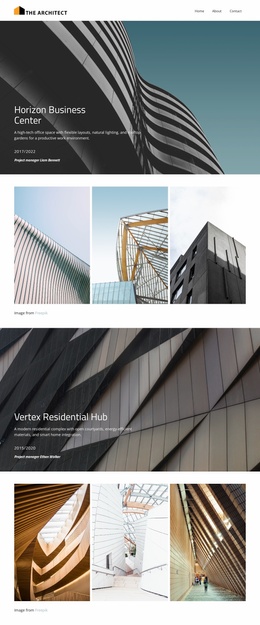
The gallery, Horizon Business Center feature, and three-part project or service grid create different kinds of recurring content areas. The gallery can present a broad visual selection, while the named project feature gives one case study a stronger position. The repeated grid can support related project descriptions or capability summaries without changing the page’s editorial rhythm. The design therefore accommodates both fixed studio information and content that may be expanded over time, without assuming that blog posts or specific WordPress entries already exist.
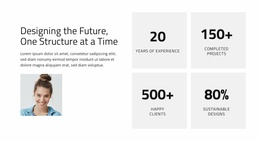
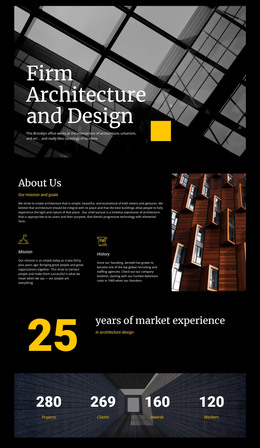
The partner presentation, four metric blocks, portrait-led text panel, and Vertex Residential Hub feature provide supporting context around credibility and additional work. Together with the closing social information, they form a recognizable theme environment for permanent pages and curated portfolio content. WordPress can manage those content areas while the neutral palette, orange accents, and architectural imagery preserve the studio’s visual character.
Customize with Nicepage
Open this ready-made template in the WordPress Website Builder and customize it visually in the Nicepage editor. Replace demo content, edit page sections, and adapt the design to your project without rebuilding the template from scratch.
Manage and Edit This Theme in WordPress
Customize and Install the WordPress Theme
Start with this ready-made theme instead of building the WordPress design from scratch. Customize its layout, content, typography, images, sections, and other design elements visually in Nicepage editor, then export and install the WordPress Theme, Plugin, and Pages on your WordPress site. The Nicepage WordPress Plugin lets you continue working with the site after installation.
Edit the Theme Directly in WordPress
After installation, you can edit the WordPress Theme directly in WordPress with the Nicepage WordPress Plugin. Use Site Style to customize site Colors, Fonts, Header, Footer, Blog, and Post Page Templates while working within your WordPress website.
Edit WordPress Pages Visually
Use the Nicepage WordPress Plugin to edit page content directly from the WordPress admin area. Open a WordPress Page with Nicepage and visually change its text, images, sections, and other page elements while continuing to manage the Page through WordPress.
WordPress Content and Theme Integration
Use the customized theme with WordPress Pages, Posts, Blog and Post Templates, menus, widgets, and other CMS-managed content. Shared theme elements such as Colors, Fonts, Header, Footer, Blog, and Post Page Templates can be managed as part of the overall site design, while WordPress provides the CMS environment for managing site content.
This workflow combines a ready-made WordPress Theme with visual customization, direct theme editing in WordPress, and continued content management through the Nicepage WordPress Plugin.