Сommercial and industrial construction WordPress Theme



Edit Template Offline
2. Create new page and search for id 5524990
Edit Template Online
Create Awesome Websites


Free Nicepage Builder
Keywords
Project Categories and Process Content Support WordPress Pages
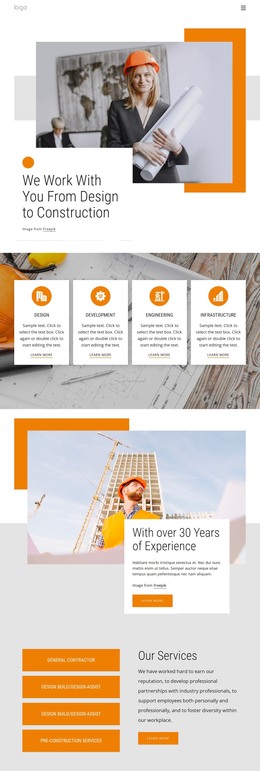
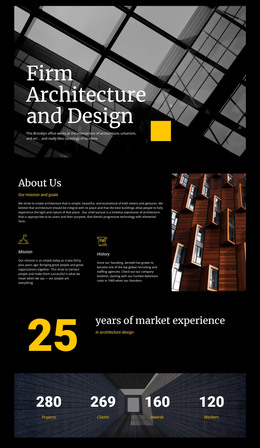
The page separates permanent company information from repeatable project-oriented content in a way that can support a WordPress-managed site. The Building Process section gives Concept, Prototyping, and Building a clear relationship as three stages, making them suitable content areas for explaining the company’s method without treating the sample wording as a verified business claim. Their repeated card structure also provides a consistent visual frame for future revisions.
The Project Portfolio supplies another important content grouping. Nine visible categories—among them Civic & Cultural, Commercial, Federal, College & University, Industrial, Energy / LEED Certified, and Headquarters—organize the design’s project range into a gallery-led presentation. Those categories can be interpreted as page-oriented portfolio content or as a starting point for more detailed project material, while the Our Works section remains the overview layer with its image, description, and Learn more action. The company block then keeps general contracting information separate from project browsing.
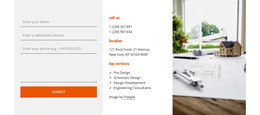
The contact form, direct phone and location details, navigation, and social footer complete the recurring site context. In a WordPress project, permanent company and service information can remain coordinated with project-focused content as the site evolves. The WordPress Plugin is an optional product bridge for working with WordPress pages, but the theme interpretation is grounded in the design’s actual separation of process, portfolio, company, and inquiry areas.
Customize with Nicepage
Open this ready-made template in the WordPress Website Builder and customize it visually in the Nicepage editor. Replace demo content, edit page sections, and adapt the design to your project without rebuilding the template from scratch.
Manage and Edit This Theme in WordPress
Customize and Install the WordPress Theme
Start with this ready-made theme instead of building the WordPress design from scratch. Customize its layout, content, typography, images, sections, and other design elements visually in Nicepage editor, then export and install the WordPress Theme, Plugin, and Pages on your WordPress site. The Nicepage WordPress Plugin lets you continue working with the site after installation.
Edit the Theme Directly in WordPress
After installation, you can edit the WordPress Theme directly in WordPress with the Nicepage WordPress Plugin. Use Site Style to customize site Colors, Fonts, Header, Footer, Blog, and Post Page Templates while working within your WordPress website.
Edit WordPress Pages Visually
Use the Nicepage WordPress Plugin to edit page content directly from the WordPress admin area. Open a WordPress Page with Nicepage and visually change its text, images, sections, and other page elements while continuing to manage the Page through WordPress.
WordPress Content and Theme Integration
Use the customized theme with WordPress Pages, Posts, Blog and Post Templates, menus, widgets, and other CMS-managed content. Shared theme elements such as Colors, Fonts, Header, Footer, Blog, and Post Page Templates can be managed as part of the overall site design, while WordPress provides the CMS environment for managing site content.
This workflow combines a ready-made WordPress Theme with visual customization, direct theme editing in WordPress, and continued content management through the Nicepage WordPress Plugin.