Rating for architecture WordPress Theme


Edit Template Offline
2. Create new page and search for id 27314
Edit Template Online
Create Awesome Websites


Free Nicepage Builder
Keywords
Project Content and Editorial Features Share One Theme Direction
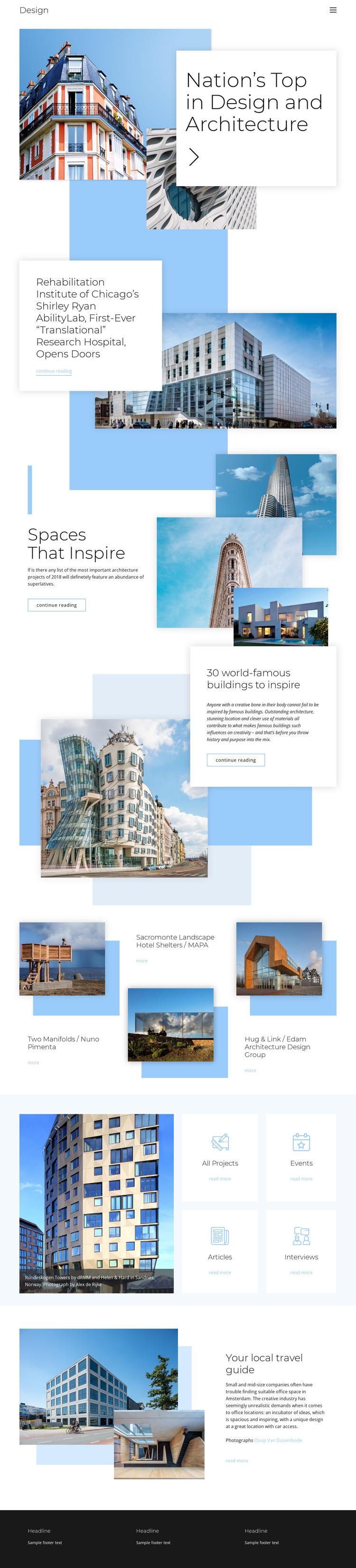
The permanent page areas are clearly defined through architecture stories, project entries, category cards, and a closing travel feature. The featured Shirley Ryan AbilityLab section can function as a substantial page-oriented story, while Spaces That Inspire and the world-famous buildings feature demonstrate how explanatory content can be paired with selected images. Together, these areas provide more than a single portfolio showcase: they establish several kinds of content that can remain visually related within a WordPress-managed site.
The three project entries create a repeated content pattern around project image, title, and detail link. The category group then points toward All Projects, Events, Articles, and Interviews, offering a different relationship between the visual theme and future content organization. Rather than claiming that WordPress Posts, categories, or blog templates already exist in the design, the page can be interpreted as a theme direction for permanent architecture pages and content that may later be published or expanded. Mobile navigation, recurring cards, and the dark footer help maintain shared site elements around those areas. The result is a WordPress theme concept grounded in the actual editorial and project content visible here, not merely in a CMS name substitution.
Customize with Nicepage
Open this ready-made template in the WordPress Website Builder and customize it visually in the Nicepage editor. Replace demo content, edit page sections, and adapt the design to your project without rebuilding the template from scratch.
Manage and Edit This Theme in WordPress
Customize and Install the WordPress Theme
Start with this ready-made theme instead of building the WordPress design from scratch. Customize its layout, content, typography, images, sections, and other design elements visually in Nicepage editor, then export and install the WordPress Theme, Plugin, and Pages on your WordPress site. The Nicepage WordPress Plugin lets you continue working with the site after installation.
Edit the Theme Directly in WordPress
After installation, you can edit the WordPress Theme directly in WordPress with the Nicepage WordPress Plugin. Use Site Style to customize site Colors, Fonts, Header, Footer, Blog, and Post Page Templates while working within your WordPress website.
Edit WordPress Pages Visually
Use the Nicepage WordPress Plugin to edit page content directly from the WordPress admin area. Open a WordPress Page with Nicepage and visually change its text, images, sections, and other page elements while continuing to manage the Page through WordPress.
WordPress Content and Theme Integration
Use the customized theme with WordPress Pages, Posts, Blog and Post Templates, menus, widgets, and other CMS-managed content. Shared theme elements such as Colors, Fonts, Header, Footer, Blog, and Post Page Templates can be managed as part of the overall site design, while WordPress provides the CMS environment for managing site content.
This workflow combines a ready-made WordPress Theme with visual customization, direct theme editing in WordPress, and continued content management through the Nicepage WordPress Plugin.