It is our staff WordPress Theme


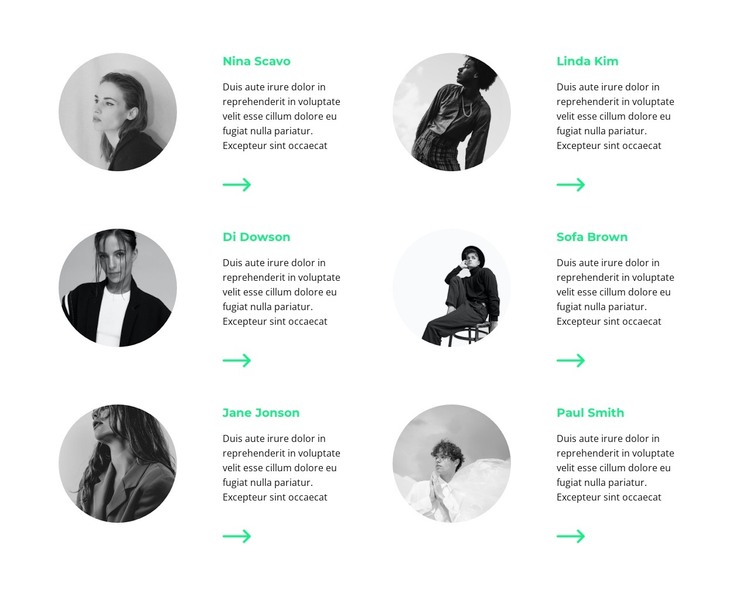
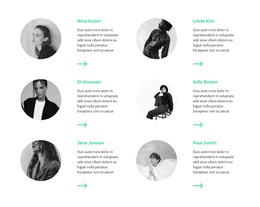
Six profile units provide stable team content for a managed page
The section reads as durable page content because its six entries present a defined group of people rather than a time-based stream. Each profile combines a circular portrait, a name, a short description, and an arrow icon, creating a repeatable content unit that can remain visually consistent within a WordPress-managed page. The two-column, three-row arrangement keeps the group compact while still giving every profile its own space.
The relationship between portrait and text is central to the block’s usefulness. A visitor can identify the visual subject first, then read the associated description without crossing into another profile’s content. Grayscale images keep the collection coordinated, and mint-green names provide a repeated accent against the white background. Since the interaction is static, the information remains visible in the section rather than depending on a carousel or expandable control.
In a WordPress-oriented project, this block can occupy a stable team area within page content while the wider site manages its other pages and publishing needs. It can support an About or staff-focused destination, but it remains one reusable section. The visual pattern can also be retained if the surrounding project later adds other content areas with different purposes.
Customize with Nicepage
Open this ready-made template in the WordPress Website Builder and customize it visually in the Nicepage editor. Replace demo content, edit page sections, and adapt the design to your project without rebuilding the template from scratch.
Edit Template Offline
2. Create a new page or select existing
3. Click Add new block, search for id 1902120 and click enter
Edit Template Online
Create Awesome Websites


Free Nicepage Builder
Keywords
Manage and Edit This Theme in WordPress
Customize and Install the WordPress Theme
Start with this ready-made theme instead of building the WordPress design from scratch. Customize its layout, content, typography, images, sections, and other design elements visually in Nicepage editor, then export and install the WordPress Theme, Plugin, and Pages on your WordPress site. The Nicepage WordPress Plugin lets you continue working with the site after installation.
Edit the Theme Directly in WordPress
After installation, you can edit the WordPress Theme directly in WordPress with the Nicepage WordPress Plugin. Use Site Style to customize site Colors, Fonts, Header, Footer, Blog, and Post Page Templates while working within your WordPress website.
Edit WordPress Pages Visually
Use the Nicepage WordPress Plugin to edit page content directly from the WordPress admin area. Open a WordPress Page with Nicepage and visually change its text, images, sections, and other page elements while continuing to manage the Page through WordPress.
WordPress Content and Theme Integration
Use the customized theme with WordPress Pages, Posts, Blog and Post Templates, menus, widgets, and other CMS-managed content. Shared theme elements such as Colors, Fonts, Header, Footer, Blog, and Post Page Templates can be managed as part of the overall site design, while WordPress provides the CMS environment for managing site content.
This workflow combines a ready-made WordPress Theme with visual customization, direct theme editing in WordPress, and continued content management through the Nicepage WordPress Plugin.