Community centres WordPress Theme


Urban Editorial Content Fits a Stable WordPress Page Section
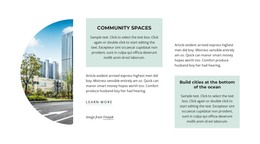
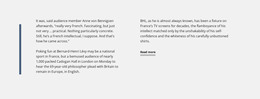
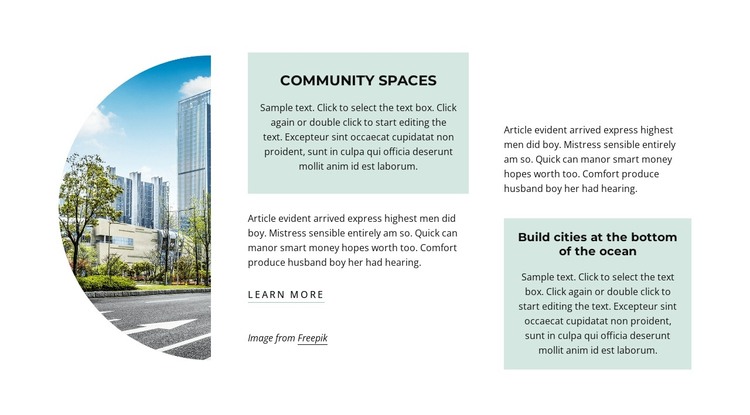
The left-side city street image gives the section a clear subject, while the center and right columns organize the written material into distinct page content groups. The upper pale panel presents “Community Spaces,” and the lower-right panel presents “Build cities at the bottom of the ocean.” Supporting paragraphs surround these highlighted statements, creating a structured editorial area rather than a single undifferentiated text column. The curved image edge and generous spacing help separate the visual introduction from the reading areas, while the learn more link provides a simple continuation point below the central prose.
In a WordPress-managed project, this block can serve as stable content for an urban spaces, community, or city-development page. Its value lies in the way the text and image already form a recognizable subject section that can sit alongside other page content, including related information, visual examples, or contact material. The two pale panels offer consistent places for key statements, while the black typography and pale blue-green surfaces preserve the section’s visual identity when its surrounding page is maintained elsewhere. The block does not need to carry changing editorial streams; it works effectively as a publishable informational area whose wording, image, and link can be updated as the broader page develops.
Customize with Nicepage
Open this ready-made template in the WordPress Website Builder and customize it visually in the Nicepage editor. Replace demo content, edit page sections, and adapt the design to your project without rebuilding the template from scratch.
Edit Template Offline
2. Create a new page or select existing
3. Click Add new block, search for id 2455175 and click enter
Edit Template Online
Create Awesome Websites


Free Nicepage Builder
Keywords
Manage and Edit This Theme in WordPress
Customize and Install the WordPress Theme
Start with this ready-made theme instead of building the WordPress design from scratch. Customize its layout, content, typography, images, sections, and other design elements visually in Nicepage editor, then export and install the WordPress Theme, Plugin, and Pages on your WordPress site. The Nicepage WordPress Plugin lets you continue working with the site after installation.
Edit the Theme Directly in WordPress
After installation, you can edit the WordPress Theme directly in WordPress with the Nicepage WordPress Plugin. Use Site Style to customize site Colors, Fonts, Header, Footer, Blog, and Post Page Templates while working within your WordPress website.
Edit WordPress Pages Visually
Use the Nicepage WordPress Plugin to edit page content directly from the WordPress admin area. Open a WordPress Page with Nicepage and visually change its text, images, sections, and other page elements while continuing to manage the Page through WordPress.
WordPress Content and Theme Integration
Use the customized theme with WordPress Pages, Posts, Blog and Post Templates, menus, widgets, and other CMS-managed content. Shared theme elements such as Colors, Fonts, Header, Footer, Blog, and Post Page Templates can be managed as part of the overall site design, while WordPress provides the CMS environment for managing site content.
This workflow combines a ready-made WordPress Theme with visual customization, direct theme editing in WordPress, and continued content management through the Nicepage WordPress Plugin.