High quality grooming services WordPress Theme



Edit Template Offline
2. Create new page and search for id 2455180
Edit Template Online
Create Awesome Websites


Free Nicepage Builder
Keywords
Page Content and Repeated Grooming Sections Share One Theme
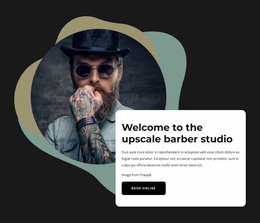
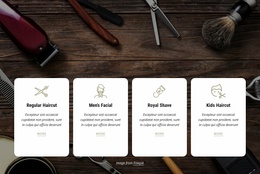
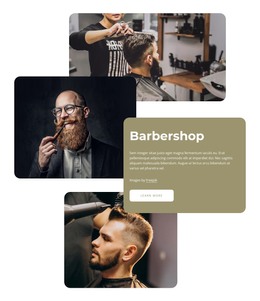
The service and information areas are well suited to a WordPress-managed content interpretation because they separate permanent business information into recognizable page regions. The hero can carry the main barbershop introduction and appointment prompt, while the four featured tiles summarize the core offer. The working-hours card and “Why choose us?” section provide practical and explanatory content that can remain distinct from the pricing list and its more detailed grooming combinations.
The six-image gallery and three testimonial cards introduce repeated content patterns alongside the service information. In a WordPress project, those patterns could support a continuing visual direction for project imagery, customer feedback, or later editorial content, without claiming that posts or categories already exist in the template. The welcome and consultation blocks add page content that can connect the service presentation to a more personal studio message.
The final contact area brings together a barber image and fields for name, email, and message, giving the theme a clear inquiry region. The page’s dark charcoal, muted sage, rounded-image, and condensed-heading treatment can act as the visual layer around these different content types. WordPress therefore serves as a possible environment for managing and expanding the page content, while the verified design facts remain the basis: grooming services, hours, prices, gallery imagery, testimonials, and contact.
Customize with Nicepage
Open this ready-made template in the WordPress Website Builder and customize it visually in the Nicepage editor. Replace demo content, edit page sections, and adapt the design to your project without rebuilding the template from scratch.
Manage and Edit This Theme in WordPress
Customize and Install the WordPress Theme
Start with this ready-made theme instead of building the WordPress design from scratch. Customize its layout, content, typography, images, sections, and other design elements visually in Nicepage editor, then export and install the WordPress Theme, Plugin, and Pages on your WordPress site. The Nicepage WordPress Plugin lets you continue working with the site after installation.
Edit the Theme Directly in WordPress
After installation, you can edit the WordPress Theme directly in WordPress with the Nicepage WordPress Plugin. Use Site Style to customize site Colors, Fonts, Header, Footer, Blog, and Post Page Templates while working within your WordPress website.
Edit WordPress Pages Visually
Use the Nicepage WordPress Plugin to edit page content directly from the WordPress admin area. Open a WordPress Page with Nicepage and visually change its text, images, sections, and other page elements while continuing to manage the Page through WordPress.
WordPress Content and Theme Integration
Use the customized theme with WordPress Pages, Posts, Blog and Post Templates, menus, widgets, and other CMS-managed content. Shared theme elements such as Colors, Fonts, Header, Footer, Blog, and Post Page Templates can be managed as part of the overall site design, while WordPress provides the CMS environment for managing site content.
This workflow combines a ready-made WordPress Theme with visual customization, direct theme editing in WordPress, and continued content management through the Nicepage WordPress Plugin.