The best barbershop WordPress Theme



Edit Template Offline
2. Create new page and search for id 5250710
Edit Template Online
Create Awesome Websites


Free Nicepage Builder
Keywords
Service Cards, Barber Profiles, and Contact Content Map Naturally to WordPress
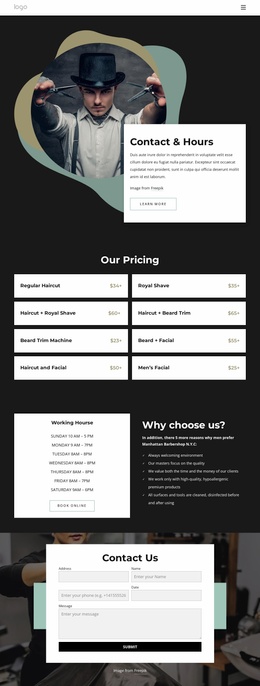
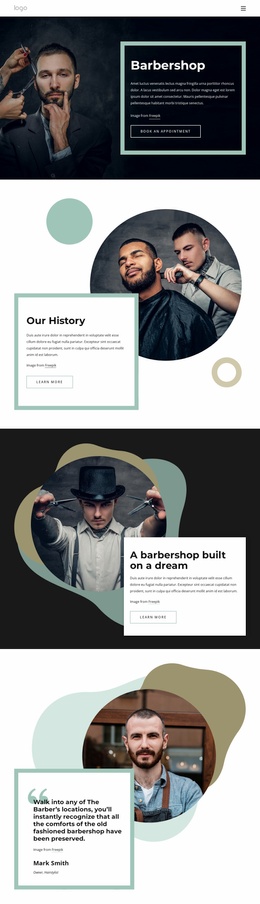
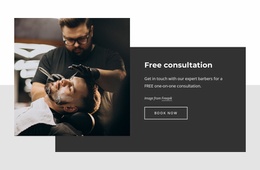
The eight service cards create the clearest page-oriented content group in this design. Haircuts, shaving, skin fade, beard trim, and related grooming categories are separated into repeatable visual units, making the layout suitable for presenting permanent service information while keeping each offering easy to replace or revise. The six barber profile cards provide a different content relationship: they introduce people, roles, descriptions, and social links rather than extending the service list. Their sample identities should be replaced with verified business content before publication.
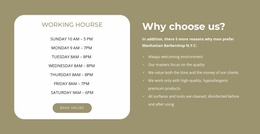
The rest of the page adds supporting areas that can remain part of the same theme direction. Opening hours and the pricing section answer practical questions, with eight grooming packages arranged for quick comparison. Testimonials create a separate review-oriented area, while the phone band and closing contact form provide direct contact content for appointment requests. In a WordPress project, these page sections can coexist with other site content without changing the visual character established by the charcoal, teal, white, and photographic treatment. The design therefore offers a useful WordPress theme interpretation through permanent page content, recurring profile and service groups, and shared contact regions, without claiming that blog posts, categories, or other unverified WordPress structures already exist.
Customize with Nicepage
Open this ready-made template in the WordPress Website Builder and customize it visually in the Nicepage editor. Replace demo content, edit page sections, and adapt the design to your project without rebuilding the template from scratch.
Manage and Edit This Theme in WordPress
Customize and Install the WordPress Theme
Start with this ready-made theme instead of building the WordPress design from scratch. Customize its layout, content, typography, images, sections, and other design elements visually in Nicepage editor, then export and install the WordPress Theme, Plugin, and Pages on your WordPress site. The Nicepage WordPress Plugin lets you continue working with the site after installation.
Edit the Theme Directly in WordPress
After installation, you can edit the WordPress Theme directly in WordPress with the Nicepage WordPress Plugin. Use Site Style to customize site Colors, Fonts, Header, Footer, Blog, and Post Page Templates while working within your WordPress website.
Edit WordPress Pages Visually
Use the Nicepage WordPress Plugin to edit page content directly from the WordPress admin area. Open a WordPress Page with Nicepage and visually change its text, images, sections, and other page elements while continuing to manage the Page through WordPress.
WordPress Content and Theme Integration
Use the customized theme with WordPress Pages, Posts, Blog and Post Templates, menus, widgets, and other CMS-managed content. Shared theme elements such as Colors, Fonts, Header, Footer, Blog, and Post Page Templates can be managed as part of the overall site design, while WordPress provides the CMS environment for managing site content.
This workflow combines a ready-made WordPress Theme with visual customization, direct theme editing in WordPress, and continued content management through the Nicepage WordPress Plugin.