Grid with texts on image background WordPress Theme


Stable About Content for a WordPress-Managed Page
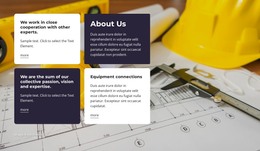
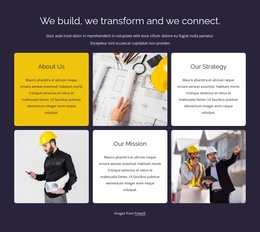
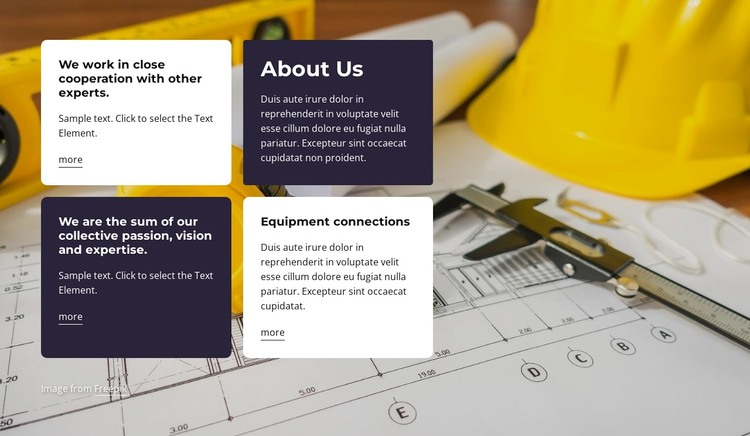
The section's four-card structure reads as stable page content rather than a stream of time-sensitive entries. In a WordPress-oriented project, it can provide a reusable About Us area for an organization or practice while the wider site manages other page content independently. The construction workspace image gives the section a strong subject context, and the dark overlay maintains separation between the photograph and the foreground cards.
The content is divided into four related units. About Us appears in the upper-right card, Equipment connections occupies the lower-right position, and the remaining cards support the introduction with statements about cooperation with other experts and the combined value of passion, vision, and expertise. This arrangement gives the page a clear informational rhythm: a named introduction, a specific supporting topic, and complementary text areas that can be edited as the organization develops.
Three more links add a controlled path from selected cards to related page content. They can support deeper explanations without making the block responsible for the whole WordPress site's navigation or content model. Visually, the alternating white and deep-purple cards, rounded corners, bold headings, and compact paragraphs form a reusable presentation pattern. That pattern can remain consistent within a WordPress-managed page while other sections address projects, services, contact details, or additional organizational information.
Customize with Nicepage
Open this ready-made template in the WordPress Website Builder and customize it visually in the Nicepage editor. Replace demo content, edit page sections, and adapt the design to your project without rebuilding the template from scratch.
Edit Template Offline
2. Create a new page or select existing
3. Click Add new block, search for id 3554144 and click enter
Edit Template Online
Create Awesome Websites


Free Nicepage Builder
Keywords
Manage and Edit This Theme in WordPress
Customize and Install the WordPress Theme
Start with this ready-made theme instead of building the WordPress design from scratch. Customize its layout, content, typography, images, sections, and other design elements visually in Nicepage editor, then export and install the WordPress Theme, Plugin, and Pages on your WordPress site. The Nicepage WordPress Plugin lets you continue working with the site after installation.
Edit the Theme Directly in WordPress
After installation, you can edit the WordPress Theme directly in WordPress with the Nicepage WordPress Plugin. Use Site Style to customize site Colors, Fonts, Header, Footer, Blog, and Post Page Templates while working within your WordPress website.
Edit WordPress Pages Visually
Use the Nicepage WordPress Plugin to edit page content directly from the WordPress admin area. Open a WordPress Page with Nicepage and visually change its text, images, sections, and other page elements while continuing to manage the Page through WordPress.
WordPress Content and Theme Integration
Use the customized theme with WordPress Pages, Posts, Blog and Post Templates, menus, widgets, and other CMS-managed content. Shared theme elements such as Colors, Fonts, Header, Footer, Blog, and Post Page Templates can be managed as part of the overall site design, while WordPress provides the CMS environment for managing site content.
This workflow combines a ready-made WordPress Theme with visual customization, direct theme editing in WordPress, and continued content management through the Nicepage WordPress Plugin.