Spaces That Inspire WordPress Theme


Edit Template Offline
2. Create new page and search for id 14533
Edit Template Online
Create Awesome Websites


Free Nicepage Builder
Keywords
Editorial Stories and Repeated Project Content Shape the Theme Structure
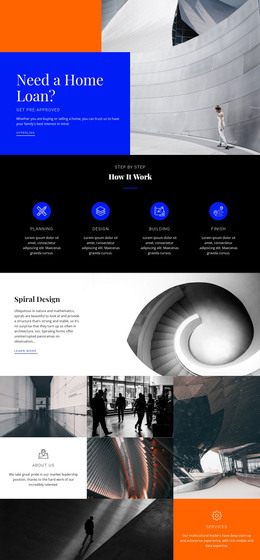
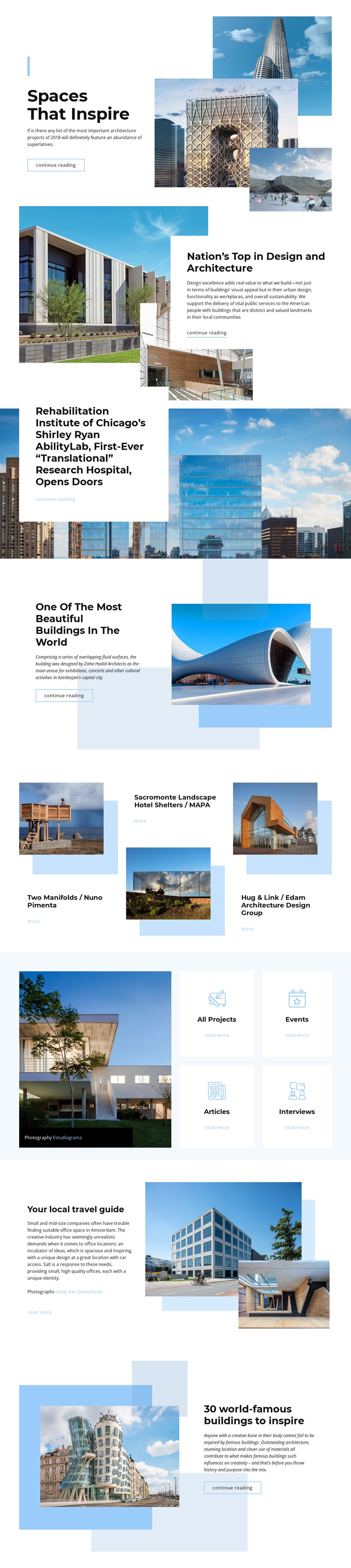
The opening feature provides a clear page-oriented content area: “Spaces That Inspire” combines a headline, short introduction, three architectural images, and a continue-reading link. Later feature sections repeat that relationship with different visual treatments, including a layered image panel for “Nation’s Top in Design and Architecture” and a large background photograph supporting the Shirley Ryan AbilityLab story. These sections can represent permanent editorial page content while retaining a shared visual direction.
The repeated showcase introduces three distinct architecture projects—Two Manifolds, Sacromonte Landscape Hotel Shelters, and Hug & Link—giving the design a natural basis for project-focused content that can be expanded or updated. Separate category cards for All Projects, Events, Articles, and Interviews create additional content pathways without claiming that WordPress posts, categories, or templates already exist in the supplied design. The local travel guide and “30 world-famous buildings to inspire” feature add further editorial subjects, while photography credits identify Estudiograma and Ossip Van Duivenbode as attribution details.
Together, these page areas suit a WordPress Theme interpretation because they separate featured stories, project entries, category directions, and supporting editorial content within one recognizable visual system. The theme can provide a consistent presentation for managed content while preserving the architecture-focused hierarchy, image-led emphasis, and understated reading actions shown in the source design.
Customize with Nicepage
Open this ready-made template in the WordPress Website Builder and customize it visually in the Nicepage editor. Replace demo content, edit page sections, and adapt the design to your project without rebuilding the template from scratch.
Manage and Edit This Theme in WordPress
Customize and Install the WordPress Theme
Start with this ready-made theme instead of building the WordPress design from scratch. Customize its layout, content, typography, images, sections, and other design elements visually in Nicepage editor, then export and install the WordPress Theme, Plugin, and Pages on your WordPress site. The Nicepage WordPress Plugin lets you continue working with the site after installation.
Edit the Theme Directly in WordPress
After installation, you can edit the WordPress Theme directly in WordPress with the Nicepage WordPress Plugin. Use Site Style to customize site Colors, Fonts, Header, Footer, Blog, and Post Page Templates while working within your WordPress website.
Edit WordPress Pages Visually
Use the Nicepage WordPress Plugin to edit page content directly from the WordPress admin area. Open a WordPress Page with Nicepage and visually change its text, images, sections, and other page elements while continuing to manage the Page through WordPress.
WordPress Content and Theme Integration
Use the customized theme with WordPress Pages, Posts, Blog and Post Templates, menus, widgets, and other CMS-managed content. Shared theme elements such as Colors, Fonts, Header, Footer, Blog, and Post Page Templates can be managed as part of the overall site design, while WordPress provides the CMS environment for managing site content.
This workflow combines a ready-made WordPress Theme with visual customization, direct theme editing in WordPress, and continued content management through the Nicepage WordPress Plugin.