Building construction and civil engineering WordPress Theme



Edit Template Offline
2. Create new page and search for id 6078100
Edit Template Online
Create Awesome Websites


Free Nicepage Builder
Keywords
Page Content and Repeated Company Cards Within a WordPress Theme
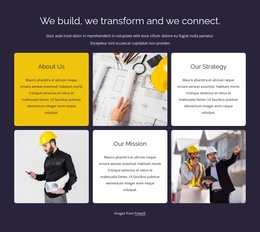
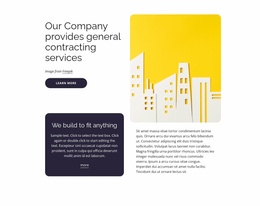
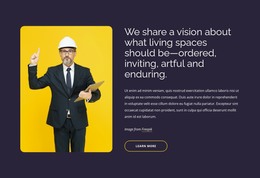
The page-oriented content is well suited to a WordPress-managed company presentation because its major subjects are already separated into understandable regions. The opening introduces the construction business, and the six alternating tiles provide stable content areas for company overview, strategy, and mission. The experience and vision statements can serve as central page content, while the four tabs group Organisation, Management, Business principles, and History into a focused informational section rather than dispersing those subjects across unrelated layouts.
The six value cards offer a repeated content pattern that can remain visually consistent as the wording develops. Integrity, Care, Excellence, Respect, Commitment, and Relationships are presented as parallel principles, making the block useful for content that needs coordinated presentation. The contact section has a different role: phone, location, and business hours provide permanent company information, while the inquiry form gathers name, email, address, and message details. This distinction between stable page information and visitor communication is important for a CMS-managed site.
The shared navigation, mobile navigation, and social footer complete the theme context. Facebook, Twitter, Instagram, and LinkedIn links belong to the site-wide closing area, while the main page retains its company narrative. If the project later introduces regularly updated construction news, project explanations, or other editorial content, those additions can be placed around this established page structure without changing the theme’s core visual character.
Customize with Nicepage
Open this ready-made template in the WordPress Website Builder and customize it visually in the Nicepage editor. Replace demo content, edit page sections, and adapt the design to your project without rebuilding the template from scratch.
Manage and Edit This Theme in WordPress
Customize and Install the WordPress Theme
Start with this ready-made theme instead of building the WordPress design from scratch. Customize its layout, content, typography, images, sections, and other design elements visually in Nicepage editor, then export and install the WordPress Theme, Plugin, and Pages on your WordPress site. The Nicepage WordPress Plugin lets you continue working with the site after installation.
Edit the Theme Directly in WordPress
After installation, you can edit the WordPress Theme directly in WordPress with the Nicepage WordPress Plugin. Use Site Style to customize site Colors, Fonts, Header, Footer, Blog, and Post Page Templates while working within your WordPress website.
Edit WordPress Pages Visually
Use the Nicepage WordPress Plugin to edit page content directly from the WordPress admin area. Open a WordPress Page with Nicepage and visually change its text, images, sections, and other page elements while continuing to manage the Page through WordPress.
WordPress Content and Theme Integration
Use the customized theme with WordPress Pages, Posts, Blog and Post Templates, menus, widgets, and other CMS-managed content. Shared theme elements such as Colors, Fonts, Header, Footer, Blog, and Post Page Templates can be managed as part of the overall site design, while WordPress provides the CMS environment for managing site content.
This workflow combines a ready-made WordPress Theme with visual customization, direct theme editing in WordPress, and continued content management through the Nicepage WordPress Plugin.